

What Does an Automated Scanner Find on Your Site Today?
Opportunistic scanners are not looking for you. They are looking for a shape: a known version, an exposed path, a missing header, an open form. Here is what they read and what to do about it.
On This Page
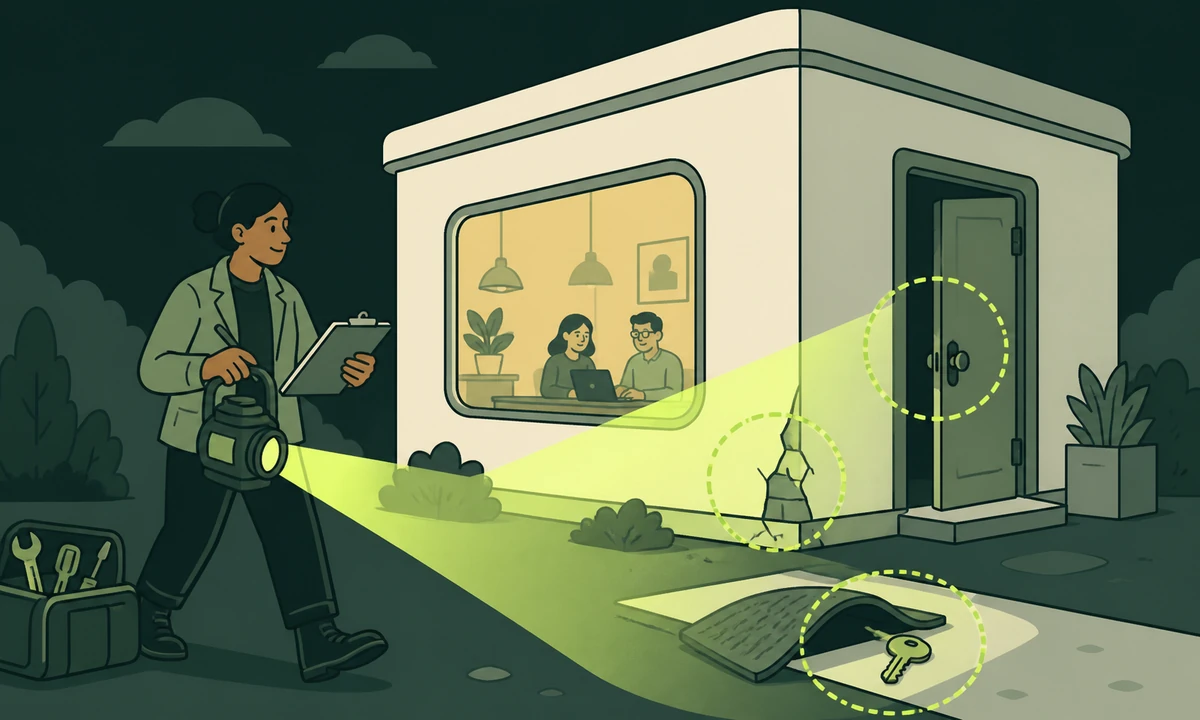
Your site is being scanned right now. Not by somebody who chose it, and not by a person. By a script that walks a list of addresses, sends a handful of requests to each one and records what comes back. It will finish with you in well under a second and move on. Whether it ever returns depends entirely on what those requests revealed.
That is the honest starting point for website vulnerability scanning: almost everything that reaches you is indifferent. It is not an attack on your organisation, because the scanner is not looking for you specifically. It is a search for a shape, and it asks four questions, all of which your site answers without being asked.
The four are: what software is this and which version, which paths exist that should not be reachable, which response headers are missing, and where can something be submitted. Nearly everything in a cheap opportunistic scan is a variation on one of those four.
The genuinely good news is that all four are cheap to check yourself, and mostly cheap to fix. You do not need a tool you have to buy in order to see what a scanner sees. You need a browser, a terminal and about an hour.
Nobody chose you
The economics matter, because they change what you should worry about. A targeted attacker studies you: your suppliers, your job adverts, who has access to what. That is expensive, and it happens to organisations holding something specific. Opportunistic scanning is the opposite. Near-zero cost per site, enormous scale, and no interest whatsoever in what you do.
Which means the defence is different too. You are not trying to be impregnable. You are trying not to match the shape. A scan that finds a current version, no interesting paths, sensible headers and a form that resists automation records nothing worth coming back for, and the operator moves on, because there are millions of easier sites and the whole business model depends on volume.
"We are too small to be a target" is a sentence that has cost a lot of people a weekend. Being small does not exclude you from a list of addresses. It only means nobody will write anything bespoke for you, which is a thinner comfort than it sounds. And if something does get through, the gap between a bad week and a bad quarter is preparation, which is why preparing for the day you are compromised is a separate exercise from prevention and should be rehearsed separately.
Opportunistic scanning is not an attack on you. It is a search for a shape, and your site either matches it or it does not.
What the scan is actually reading
Four categories, in roughly the order a cheap scanner tries them, because each one costs a little more than the last.
Known component versions
The highest-value signal, because it converts directly into a working exploit somebody else already wrote. A generator meta tag. A readme left in the web root. A script bundle with a version string in its path. A stylesheet whose filename carries a release number. A response header naming the framework. Any one of those turns "some site" into "a site running version X of Y", after which the scanner only has to check whether version X has a published entry in the CVE list.
The fix has two halves and only one of them is updating. Update, obviously. But also stop publishing the version at all, because a scanner that cannot tell what you run has to try everything, and mostly it will not bother. Most of this exposure arrives through components you did not write rather than the code you did, which is the argument in the dependency you shipped but did not write.
Paths that should not be reachable
The second pass is a wordlist: a few thousand common paths requested one after another, looking for anything that returns something other than a 404. The classics have barely changed in a decade. A version control directory served as static files. A database dump left in the web root. An environment file. A backup archive named after the site. An admin panel on its default address. A debugging page from 2019. A staging copy on a predictable subdomain with no password on it.
Every one of those is a configuration accident rather than a vulnerability, which is precisely why scanners love them: common, free to check, and they frequently hand over credentials outright. On WordPress installations the wordlist gets longer, because plugin directories are predictable and each plugin brings its own. That is the practical case in how many plugins is too many: every plugin is a supplier with a directory of its own and a release cycle you do not control.
What your headers admit
Headers cost one request to read and tell a scanner two things: what you are running, and which browser-side protections you have not switched on. A missing Content-Security-Policy is not itself a vulnerability, but it removes the layer that would have contained one. A missing Strict-Transport-Security header makes a downgrade worth attempting. A Server or X-Powered-By header carrying a version puts you straight back into the first category.
Headers are the cheapest work on this whole list: configuration rather than code, usually one file, no deployment risk to the application itself. We cover which ones matter and what each one actually stops in security headers that matter. The caveat is that a policy applied carelessly breaks things loudly, so it goes out in report-only mode first and gets tightened once the reports go quiet.
Forms and endpoints that accept input
Anything that takes a submission gets probed: contact forms, search boxes, login pages, comment fields, upload handlers, API endpoints discovered in a JavaScript bundle. The scanner is watching for three outcomes. Something that reflects input straight back into the page unescaped. Something that behaves differently when input is malformed, in a way suggesting it reached a database. And something that accepts unlimited attempts, which quietly turns a login form into a slow key.
Login endpoints deserve their own attention, because the credentials being tried against them are usually real: taken from a breach somewhere else and reused by somebody who works for you. No amount of application code fixes that, which is the whole point of access hygiene and the people who left.
| What the scanner reads | How it gets it | What it tells an attacker | The cheap fix |
|---|---|---|---|
| Generator tag, readme, asset paths | One page request | Which software, and which version | Update, then stop publishing the version |
| Server and X-Powered-By headers | Response headers | Your stack, often down to the release | Remove them or flatten them |
| Version control directories, environment files, dumps | A path wordlist | Source, keys, sometimes credentials | Block at the server, never deploy them |
| Default admin paths | A path wordlist | Where to point a password list | Move it, rate limit it, add a second factor |
| Missing CSP and HSTS | Response headers | Which protections are absent | Configuration, report-only first |
| Unbounded form submissions | Repeated posts | Whether guessing is worth running | Rate limit, lock out, log it |
The checks you can run today
None of these need a purchase, and in this order they take about an hour on a site you already own. Run them against your own property only.
- Read your own source. Open the page source and search for the word generator, then for any version number in a script or stylesheet path. Anything you find there, a scanner found first and faster.
- Look at your response headers. The network panel in your browser shows every header on the first response. Note what is present, what names your stack, and what is missing entirely.
- Request the obvious paths by hand. Try the version control config path, the environment file, a backup archive named after your domain, and your platform’s default admin address. A 404 is the answer you want, a 403 is acceptable, and a 200 is a finding.
- Read robots.txt the way an attacker would. It is a public file and every disallow line is a signpost. Anything listed there because it is sensitive has now been advertised rather than hidden.
- Run a browser audit. Lighthouse in Chrome DevTools is free, finishes in a minute, and covers best-practice items that overlap the cheap end of a security scan. It is not a security tool, and it will still find things.
- Produce a dependency list, then check it. Whatever the stack, write down what you actually ship and compare it against published advisories. The value is in the list existing at all, because most teams discover they cannot produce one.
How to read what comes back
Every scanner over-reports. That is the correct design choice for a tool with no view of your context, and it is exactly why raw output is not a report. Three habits turn one into the other.
First, separate severity from priority. Severity describes a defect in the abstract. Priority describes what it means here, on this site, with this data sitting behind it. A high-severity finding on a static marketing page with no accounts and no payment path can reasonably wait behind a medium-severity one on the endpoint that accepts uploads. Our parent company sets out the same distinction in the anatomy of a finding, and it is the one habit that stops a scan report being ignored wholesale.
Second, verify before you fix. Version-banner findings in particular are often wrong: a header can advertise one release while the running code is patched, and backported security fixes deliberately leave version numbers unchanged. Chasing a phantom costs a day and, worse, teaches the team to distrust the tool, after which the real findings get the same shrug.
Third, keep the output in a form somebody can review and argue with. A list of raw findings is not something a non-specialist can act on or challenge. Tooling that resolves findings, severities, priorities and recommendations into a professional, reviewable report, as Prooflin does, is the difference between a document that produces decisions and one that produces silence. And if the audit was sold to you rather than run by you, read it the way our parent company suggests in how to read an audit you were sold.
Run these checks against property you control, or hold written permission to test. Automated scanning of somebody else’s site is an offence in many jurisdictions regardless of intent, and I was only looking is not a defence anybody enjoys making. Keep a short note of what you scanned and when you scanned it.
The fixes that close the most doors
If you only do a handful of things, do these. They are ordered by how much they shrink the shape a scanner is matching, not by difficulty, and none of them are difficult. The underlying classes are treated in more depth by the OWASP Top 10 than any scan report will manage.
- Stop publishing versions. Remove generator tags, flatten Server and X-Powered-By, delete readme and changelog files from the web root. It costs nothing and removes the most valuable signal you emit.
- Make sure nothing deployable is deployed by accident. Version control directories, environment files, database dumps and backup archives should be impossible to serve, blocked at the server rather than merely absent this week.
- Set the headers, carefully. Strict-Transport-Security, a content security policy in report-only mode first, and the small handful of others that genuinely change what a browser will do.
- Put a second factor on every administrative account. It defeats the entire category of credential-reuse attempts arriving through your login form, and it is the highest-value hour anywhere on this list.
- Rate limit anything that accepts a submission. Forms, logins, search, APIs. Unlimited attempts is the single condition that makes automated guessing worth running against you.
- Keep the dependency list and update on a schedule. Not when something is announced. On a schedule, so updating stays routine and boring instead of becoming an emergency with an audience.
Nearly all of that is standing work rather than a project, which is why it belongs inside an ongoing maintenance arrangement with a named owner and a date attached, rather than in a document that gets circulated, admired and filed.
What a scanner will never find
Now the concession, and it is a large one. An automated scan tells you almost nothing about the risks that actually end organisations. It cannot reason about your business logic. It will not notice that changing a sequential identifier in a URL lets one customer read another customer’s record, because both responses look like a perfectly successful page.
It cannot judge whether a permission model makes sense. It cannot tell you that the person who left in March still has a working key. It has no view of your suppliers, your invoice process, or the fact that somebody in finance will pay an email that looks convincing enough on a busy Friday. A clean scan report and a serious incident coexist very comfortably.
So treat the scan as the floor rather than the ceiling. It removes the opportunistic traffic, which is most of the volume and very little of the danger. What remains is design and habit: how the application itself is built, who holds access to what, and whether anybody would notice something odd at eleven on a Sunday night. None of that automates, and the order we work through it sits in our approach.
Where we would start
Run the six checks this week. Write what you find into one document with three columns: what it is, what it exposes, and who is fixing it by when. A first pass usually produces a short list, and most of it turns out to be configuration rather than code, which is the cheerful part.
Then fix version disclosure and exposed paths first, because those two convert most directly into somebody else’s ready-made exploit. Headers second, because they are cheap and they limit what has not gone wrong yet. Second factor and rate limiting third, unless you run accounts, in which case they move to the front and the rest can wait an afternoon.
And put a date in the calendar to do the whole thing again. A scan is a photograph of a moving object: the dependency that was current in March is not current in September, and the staging site somebody spun up for a single demo is still sitting there, indexed and unloved. If you would rather somebody else ran the first pass and told you what it means, send us the domain and a note about what sits behind it.
Common questions.
What does an automated vulnerability scanner actually check?
It checks four things on most sites: which software and version you appear to be running, whether common sensitive paths return a response, which security headers are present, and whether forms and endpoints accept input without limits. Each is answered by information a site publishes without being asked, which is why a full pass takes under a second per site and can run continuously at enormous scale.
Is my website too small to be scanned?
No. Opportunistic scanning works from lists of addresses rather than judgements about who is worth attacking, so size has no bearing on whether you are scanned. Size only affects whether anyone writes something bespoke for you, which is rare. Small sites are compromised frequently because they run outdated components and expose default paths, both of which a script finds without knowing anything about the owner.
How can I check my own website for vulnerabilities for free?
Read your page source for version numbers and generator tags, inspect response headers in your browser network panel, request common sensitive paths by hand and confirm they return 404 or 403, read robots.txt the way an attacker would, and run a browser audit such as Lighthouse. Then list your dependencies and compare them against published advisories. Only test property you own or have permission to test.
What is the difference between severity and priority in a scan report?
Severity describes how dangerous a defect is in the abstract, independent of where it appears. Priority describes what it means on your site, given what data sits behind it and who can reach it. A high-severity finding on a static marketing page can reasonably wait behind a medium-severity one on an endpoint accepting uploads. Reports that never make this distinction tend to be ignored completely.
Do security headers actually stop attacks?
Headers rarely stop an attack on their own; they change what an attack can do once something else has already gone wrong. A content security policy limits what injected script can reach, and Strict-Transport-Security removes the option of a protocol downgrade. They are configuration rather than code, usually one file, and worth deploying in report-only mode first so a careless policy does not break the site.
What can an automated scan not detect?
It cannot reason about business logic, so it will not notice that changing an identifier in a URL exposes another customer record, because both responses look successful. It cannot judge whether a permission model makes sense, spot an active key belonging to somebody who left, or see the invoice process a convincing email will exploit. A clean scan and a serious incident coexist comfortably.
Facing this in your
own business?
Tell us where you’re headed — we’ll map the shortest honest route.