

How Many Plugins Is Too Many for a WordPress Site?
There is no correct plugin count. Every plugin buys a capability and charges you in page weight, attack surface, update risk and upgrade coupling, so budget them and audit them on a schedule.
On This Page
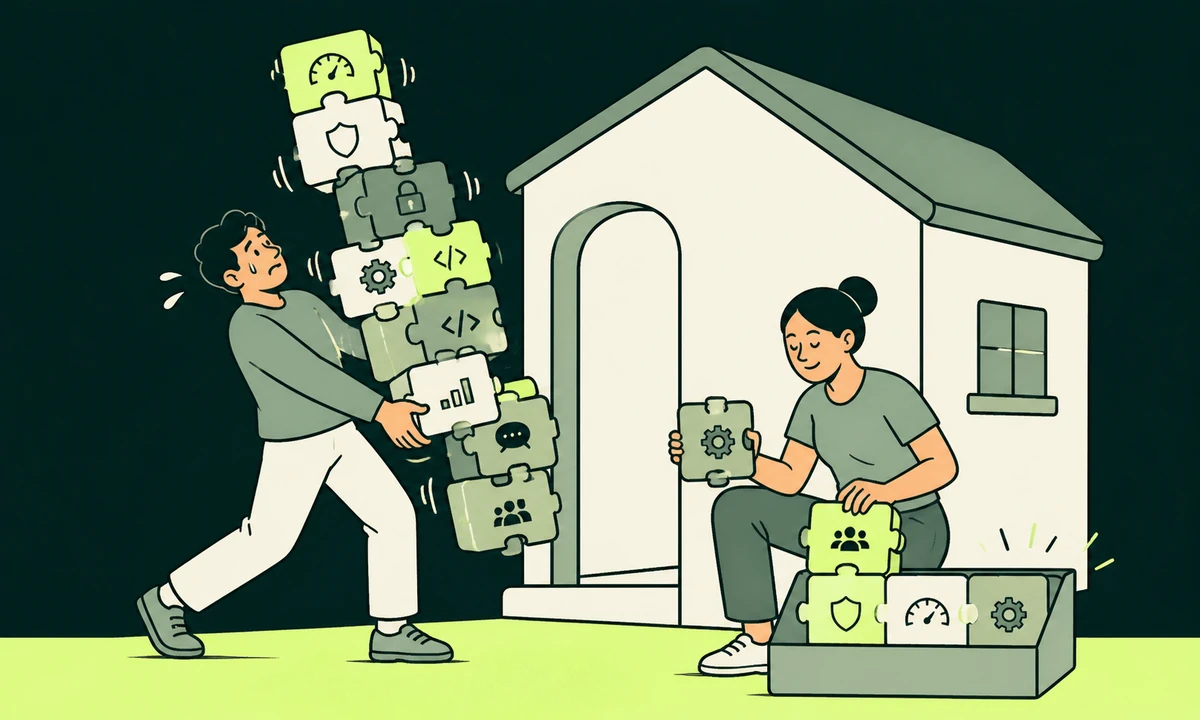
Somebody always asks with a number already in mind. Twenty? Thirty? The site they inherited has fifty-one active plugins and they want to know how bad that is. The count tells you almost nothing on its own. A site running twelve badly chosen plugins can be slower, less safe and considerably harder to upgrade than a site running forty that were chosen with care and scoped properly.
So we refuse to give a number and give a budget instead. Every plugin you install buys a capability and charges you on four separate accounts: page weight, attack surface, update risk and upgrade coupling. Keep it while the capability is worth all four charges. Remove it the day it is not. That is the whole model, and it is what turns a WordPress plugin count from a superstition into a decision somebody can defend.
What follows is the four costs, the budget itself, and an audit that reliably clears about a third of the list on a site nobody has pruned in two years. It also names the plugins we would keep whatever the total says, because fewer is not the goal. The goal is that every plugin on the site is there for a reason a person can still say out loud.
Why the plugin count is the wrong question
Take two sites with thirty plugins each. On the first, twenty-two of them are admin-side only: editorial tools, a redirect manager, a backup scheduler, an import utility somebody ran once. None of them touch a visitor request. The remaining eight are scoped to the templates that need them and sit behind a cache. On the second site, all thirty enqueue a stylesheet and a script everywhere, four run a database query on every page load, and one calls a third-party domain before the page can finish rendering. Same number. Not remotely the same site.
This is why counting predicts so little about speed. What predicts speed is what runs, where it runs, and how often, which is the argument we make at length in why WordPress gets slow and which fixes move the numbers. A plugin that only wakes up inside wp-admin is close to free. A plugin that touches every front-end request is a permanent tax, and you pay it most on the pages you care about most.
The same holds for safety. Thirty plugins from projects that still ship releases are a smaller risk than five abandoned ones, and abandonment is a state you can check in about a minute per plugin. Nobody needs a tool for it. You need the last release date and five seconds of judgement.
So the question is never how many. It is which of these is still earning its charges, and who would notice if it stopped.
The four accounts every plugin charges
Price a plugin the way you would price a subscription, because that is closer to what it is. There are four lines on the invoice. Most teams read the first one and sign for the other three without looking.
Load
The obvious one. Extra CSS, extra JavaScript, extra database queries, extra requests to somebody else’s domain. The damage is rarely one enormous file. It is thirty small ones, each defensible on its own, arriving together on a page that also has to render a hero image. Watch Largest Contentful Paint and Interaction to Next Paint rather than a plugin total, because that is what a visitor actually experiences and what your technical SEO work gets judged on.
The particular offender is the plugin that loads globally to serve one page. Contact form assets on every blog post. A slider library on a site with a single slider. A share-button bundle on pages nobody has ever shared. Scoping those to the templates that need them costs an afternoon and usually removes more weight than moving to a faster host.
Attack surface
Every plugin is third-party code running with the same privileges as everything else on the site. Most break-ins on small sites are not clever. They are an unpatched component with a public advisory and an automated scanner that found it before anyone read the changelog, which is the mechanism described in why small sites get attacked at all. Plugin count matters here only as a proxy for the number of components somebody has to keep patched.
The line we hold: every plugin needs a maintainer who is still shipping. A plugin last updated three years ago is not stable. It is unattended, and those are different words.
Update risk
Two plugins, both maintained, both releasing monthly. That is twenty-four opportunities a year for a conflict, and conflicts rarely announce themselves in the plugin that changed. They show up as a checkout that fails at the last step, a form that silently stops sending, a layout that collapses at one breakpoint nobody tests. The cost is not the update. It is the checking that has to follow the update.
Automatic updates are the right default for most sites, and they quietly assume somebody looks at the site afterwards. If nobody does, you have not removed the risk. You have removed the moment where you would have noticed. Pair automatic updates with a scheduled human check of the four pages that make you money.
Upgrade coupling
The one that costs the most and gets priced the least. Some plugins hold your content in a format only they understand: page builders that store layouts as shortcode soup, gallery tools that keep image data in custom tables, form plugins that own every submission you have ever received. Removing one of those is not an uninstall. It is a migration with a project plan attached.
Ask this before installing anything: if we delete it in two years, what do we lose, and what do the pages look like the morning after? A plugin whose output survives its own removal is a cheap plugin. A plugin whose output is meaningless without it has bought a permanent seat at the table. It is the same reasoning that sits underneath choosing between a headless and a traditional CMS, one layer further down.
Held side by side, the common categories behave predictably enough to plan around before you install anything at all.
| Plugin type | Front-end cost | Upgrade coupling | Usual verdict |
|---|---|---|---|
| Page builder | High, on every page | Very high: content lives in its markup | Keep only if editors use it weekly |
| SEO plugin | Low, mostly head tags | Medium: metadata is portable | Keep one, never two |
| Security or firewall | Medium, runs each request | Low | Keep one, tuned |
| Backup | None on the front end | Low | Keep, or use the host’s |
| Forms | Often loads where no form exists | Medium: entries are stored inside it | Keep one, scope the assets |
| Slider or carousel | High, usually global | Low | Replace with theme code |
| Social sharing | Medium, plus third-party requests | None | Remove |
| Tag or script injector | Whatever it injects | None | Replace with one snippet |
| Caching | Negative, it removes cost | Medium: rules live inside it | Keep |
A budget, not a limit
Here is the model we actually apply. Each plugin gets one line in a budget, and the line has to be defensible by a named person rather than by a policy. The underlying claim is simple: a plugin is a standing cost, not a one-time install. Four rules keep that budget honest.
- One job, one plugin. Two SEO plugins is not redundancy. It is a conflict with a release schedule attached, and it will surface in the worst possible week.
- Somebody can name the page. If nobody can point at what visibly breaks when it is gone, it has already gone in every sense except the file system.
- The maintainer is alive. Check the last release date and the version it claims to be tested against, not the star rating. Ratings age far better than code does.
- Removal is cheap. Between two plugins that do the same job, prefer the one whose output is still readable after you delete it.
Sites that hold to those four rarely creep past the mid-twenties, and never because a rule capped them. They stop growing because each addition has to argue for itself in front of somebody who will have to maintain it.
A free plugin is not free. It bills you in attention, and the invoice usually arrives as an outage.
The audit that removes about a third
On a site nobody has pruned in two years, this pass typically clears a third of the list without a single person noticing a missing feature. It takes an afternoon, and the order matters, because the cheap wins come first and buy goodwill for the arguments that come later.
Run the whole audit on a staging copy, with a restore you have actually performed rather than a backup you assume exists. Deactivating the wrong plugin on a live site is how a checkout goes down at four on a Friday. If you cannot produce a working staging copy within an hour, that is your first finding, and it outranks everything else on this page.
- Write the inventory. Name, version, last release date, author, active or inactive, and one sentence saying what it does for this site. If you cannot write that sentence, mark the row.
- Delete everything deactivated. Inactive plugins still sit on disk, still carry whatever advisories were published against them, and are still found by scanners. Deactivated is not removed.
- Collapse the duplicates. Two SEO plugins, two caching layers, three separate ways to add a script to the head. Pick one of each and mean it.
- Remove the ornaments. Sliders, share counters, visitor counters, a second cookie banner, anything installed for a campaign that ended before the last redesign.
- Look at what each one loads. Open an ordinary page in browser dev tools, sort the requests by size, and find the ones you cannot explain. Then check the admin, because a plugin that only touches wp-admin is worth defending.
- Check for abandonment. Last release, tested-up-to version, and whether support threads a year old are still unanswered. Three yeses means a replacement plan, not a panic.
- Remove one at a time, and look. Batch removals make the eventual failure impossible to attribute. One plugin, one page load, one glance at the console, then the next one.
Write up what you found as findings rather than as a list of names: what it is, where it is, what it actually risks, and what you would do about it. That format is the difference between a report somebody acts on and an inventory somebody prints, and it is the subject of the anatomy of a finding from our parent company. Tools exist for the writing-up half: Prooflin resolves AI-assisted findings, severities, priorities and recommendations into reviewable reports, which helps precisely because ranking the findings, rather than spotting them, is where these exercises usually collapse.
And if the audit arrived from a vendor rather than from your own afternoon, read it sceptically before acting on it. A good deal of what gets sold as a plugin audit is a scanner’s raw output with a logo on the cover, which makes how to read an audit you were sold worth ten minutes before anyone quotes you for remediation.
The plugins worth keeping whatever the count says
Pruning has an obvious failure mode: removing the boring things that were quietly doing real work. These stay, and on most sites they should be the last items anyone touches.
- Backups, off-site, with a restore you have run. A backup you have never restored is a belief rather than a control. Test it on the staging copy you just built for the audit.
- One caching layer. It removes cost rather than adding it, and it usually does more for perceived speed than every other change on this list combined.
- One SEO plugin. Titles, descriptions, canonicals, redirects and structured data need an owner. That owner should not be three plugins arguing about the head tag.
- A hardening layer, or the host’s equivalent. Login protection, file permissions, disabled editors. If the host does it properly, take the host’s version and delete the plugin.
- The forms plugin, configured to keep less. Every enquiry stored forever is a liability you chose. Set a retention period, then check that the plugin honours it.
- Something that tells you the site is broken. Uptime checks, error logging, or a query profiler you switch on in staging when a page feels slow. You cannot audit what you cannot see.
Notice that every one of those is infrastructure. The plugins that survive an audit are almost always the ones nobody would demo. On retention specifically, the case for keeping fewer submissions for less time is set out in collect less, and treat privacy as a security control, and it applies to plugin choice as directly as it applies to form design.
Where removing plugins is the wrong move
Here is the honest concession. Replacing a plugin with custom code moves the cost rather than removing it. Twenty lines in a theme’s functions file have no update channel, no advisories, no changelog and, six months later, no author. A maintained plugin with thousands of installs has people reading its code and reporting its bugs. Your snippet has you, for exactly as long as you are still here.
That trade is worth making for a slider. It is not worth making for authentication, payments, or anything touching personal data. Write the boring glue yourself, and buy the things where being wrong is expensive.
The second case is the page builder. If your content is stored in a builder’s own format, uninstalling it is a rebuild of every page rather than a cleanup, and it belongs inside a planned website design and development project with the content model decided first. Keeping it and scoping its assets is usually the better year. Getting off it is usually the better decade. Both of those can be true at once.
The third is the plugin somebody depends on quietly. Editorial teams build habits around tools nobody wrote down. Ask before removing, and phrase it as what would you have to do by hand next week if this were gone, which gets a far truer answer than asking whether they use it.
The week after, and the rule that keeps it clean
An audit is a one-off. What stops the count climbing back is a small standing rule, written where the next person will find it: any new plugin needs a named owner, one sentence describing what breaks without it, and a date when somebody checks whether that sentence is still true. Six months is enough. Most of the sprawl we find was installed by people who have since left, to solve problems that were later fixed another way.
Two habits are worth the trouble beyond that. Update on a schedule you chose rather than whenever a red dot appears, and look at the site afterwards with your own eyes. Keep a short list of the pages that make money and check those in a browser after every update round. That is the part of ongoing website maintenance no plugin can do on your behalf, because it needs somebody who knows what right looks like.
There is a condition under which this advice reverses. If the site is a shop with genuine transaction volume, or handles regulated data, the calculation tilts towards fewer, better-supported, paid components and away from anything free that solves a problem you have not fully described to yourself. In that setting the cost of a broken checkout dwarfs the licence fee of the plugin that would not have broken.
Start with the deactivated ones. Four minutes, real exposure removed, and nobody files a ticket about it. Then do the duplicates. By the time you reach the interesting arguments about page builders you will already have a faster site and a list of what remains, why each one is there, and who to ask about it. If you would rather somebody else ran the pass and handed you the findings, tell us what you are running and what keeps breaking.
Common questions.
Do WordPress plugins slow down a website?
Some do and many do not. What matters is whether a plugin runs on visitor requests or only inside the admin area, and whether it loads its stylesheet and script on every page or only where they are needed. A plugin adding a global script bundle to serve one contact form costs far more than five admin-only tools combined, whatever the totals say.
Is it safe to leave a plugin deactivated instead of deleting it?
No. A deactivated plugin still has its files on the server, so any vulnerability published against it can remain reachable, and automated scanners still find it. Deactivating removes the feature but not the exposure. If you will not use a plugin within the next month, delete it properly and reinstall later if the need genuinely returns.
How do I know if a WordPress plugin has been abandoned?
Check three things on its directory listing: the date of the last release, the WordPress version it claims to be tested against, and whether recent support threads have gone unanswered. If the last release is more than a year old and the forum is silent, treat the plugin as unattended and start looking for a maintained replacement before something forces the decision.
Should I replace plugins with custom code in my theme?
Sometimes, and with care. Custom code has no update channel, no security advisories and no author once the person who wrote it moves on. Replacing a slider or a simple shortcode with a few lines you control is usually sensible. Replacing anything handling logins, payments or personal data with your own implementation rarely is.
How often should a WordPress site be audited for plugins?
Twice a year suits most sites, plus once after any redesign or team change. The audit is short if you keep an inventory: name, version, last release, owner, and one sentence on what breaks without it. Sites that skip this end up carrying plugins installed by people who have left, solving problems that were later fixed another way.
Do two plugins doing the same job cause problems?
Frequently. Two SEO plugins will both try to write title tags and canonical URLs, two caching layers will disagree about what to purge, and two security plugins will each block something the other needs. The symptoms usually appear after an unrelated update, which makes them slow to diagnose. Pick one tool per job and remove the other properly.
Facing this in your
own business?
Tell us where you’re headed — we’ll map the shortest honest route.