

The Dependency You Shipped but Did Not Write
Most of what you ship, you did not write. Software supply chain security is not about reading every package: it is about knowing what is in the build, how old each part is, and which parts nobody maintains.
On This Page
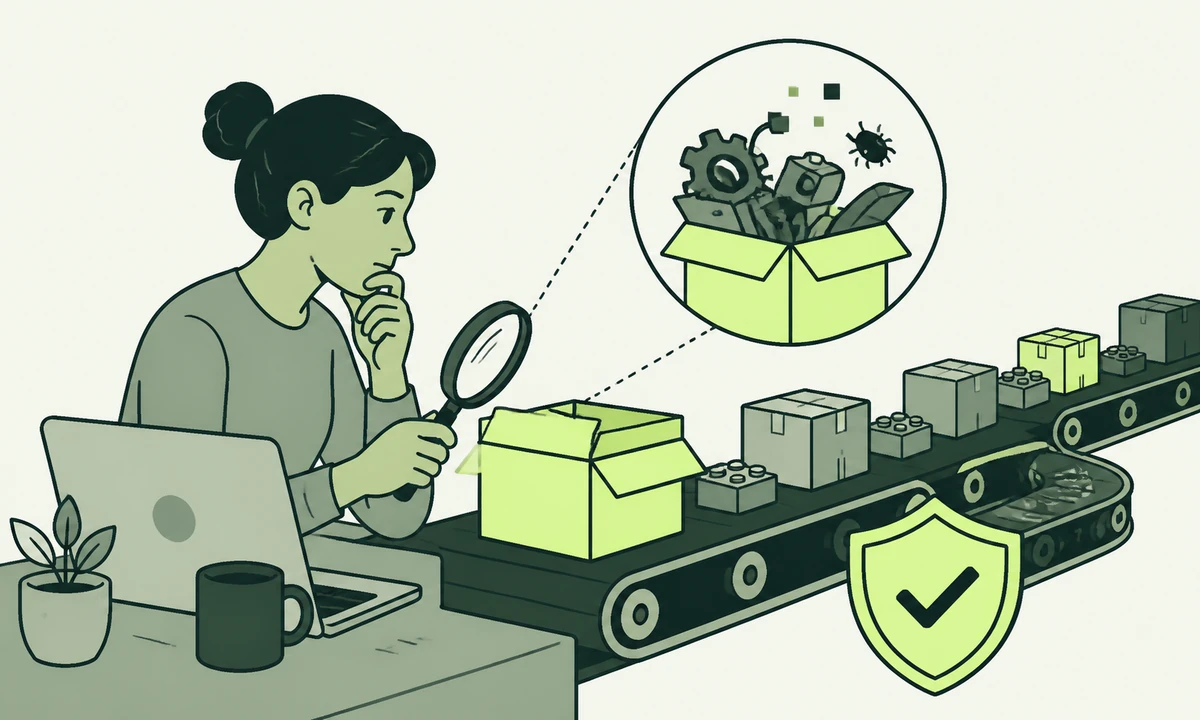
A small team ships a marketing site. They wrote a few thousand lines of their own code, reviewed every one of them, and are reasonably proud of the result. The build directory contains several hundred packages nobody on the team has ever opened, most of which arrived because something else asked for them. That gap, between the code you wrote and the code you shipped, is where software supply chain security actually lives.
The instinct is to call this sloppy. It is not. Nobody reads three hundred packages, and a team that tried would ship nothing. The honest starting position is that you cannot review what you depend on, so the practice has to rest on something other than review: knowing what is in the build, knowing how old each part of it is, and knowing which parts have quietly stopped being maintained.
Those three things are cheap to establish and cheap to keep. They are also dull, which is why they get deferred until the week after something goes wrong. If you want the part that starts after the alert fires, we have written it separately in how to prepare for the day your site is compromised. This piece is about the ordinary weeks before that day.
What you actually shipped
Your supply chain is every piece of code that executes during your build, on your server, or in a visitor’s browser, no matter who wrote it. That definition is wider than the one most teams work with, and deliberately so. A dependency is not only the thing somebody typed into a package manager. It is also the thing that thing depends on, the plugin installed from an admin screen two years ago by a person who has since left, and the automation step running in your deployment pipeline against a moving version tag.
Attackers read this list more carefully than most product teams do. Compromising one widely installed package reaches every project that pulls it in, which is a far better return than attacking any single one of those projects. The same arithmetic applies to a popular CMS plugin and to an unpinned build action. None of it requires anyone to find a flaw in your code.
Where the code arrives from
- Direct dependencies. The short list somebody chose on purpose, usually with a reason you can still reconstruct.
- Transitive dependencies. Everything those packages needed. Nobody chose these. They resolved.
- Build and pipeline tooling. Code that never reaches production but has write access to everything that does, which is a stranger kind of privilege than most teams stop to consider.
- Platform extensions. Plugins, themes, apps and modules installed through an interface rather than a commit, so they leave no trace in the repository.
- Browser-loaded scripts. Anything a third party asked you to paste into the page. This code runs on your domain, in your visitor’s session, and updates whenever its owner decides.
Only the first of those five was a decision. The other four are consequences of decisions, and consequences are precisely the things that fall out of a security review, because nobody ever wrote them down anywhere.
The part nobody reviewed
Install one well-known utility in an ordinary project and watch what lands with it. The tree is deep, and it is normal for it to be deep. Modern ecosystems trade breadth for reuse, and on the whole that trade has been worth taking. It carries one specific cost: your risk surface is not the list you chose, it is the full closure of that list, and no human being holds a mental model of it.
A lockfile is a record, not an inventory
A lockfile answers one question precisely: which exact versions resolved on the day somebody ran an install. That is worth having, and a build without one is a build that cannot be reproduced. But it is not an inventory. It does not say who maintains each package, whether that project is still alive, whether the code runs at build time or in front of a visitor, or what would break if you removed it. Those are the four facts you want during an incident, and a lockfile holds none of them.
Reachable is not the same as present
Here is the honest limitation of every scanner you will run. Most of them report what is present in the dependency tree, not what your application can actually reach. A parsing flaw in a package that only ever runs inside a test harness is a different problem from the same flaw in the library that handles inbound requests, and the report will often score them identically. Treating that report as a work queue is how teams spend a fortnight upgrading things that were never exposed while the one finding that mattered waits in the same list.
So the output of a scan is a starting list, and turning it into a decision is human work: per finding, does our code reach this path, does an untrusted input get there, and what does exploiting it actually achieve. That translation step is where most vulnerability programmes stall. A tool such as Prooflin addresses that half of the problem, resolving findings, severities, priorities and recommendations into a report somebody can review rather than a spreadsheet somebody can ignore. Our parent company has written about what a single finding needs to contain before anyone can act on it, in the anatomy of a finding.
Update lag is the actual vulnerability
The thing that breaks a normal site is almost never a zero-day. It is a flaw that was found, fixed, released, written up and catalogued in the public vulnerability record, then shipped by everybody except you. Publication is what makes it dangerous: it converts a hard research problem into a search query, and the search is cheap to run against every site on the internet.
Three kinds of lag
- Release lag. The maintainer has fixed it, but the release is unpublished, or the fix exists only on a major version you are not on. You cannot automate your way past this one.
- Awareness lag. The fix is out and you do not know. This is the easiest of the three to remove, and automated dependency alerts remove most of it in an afternoon.
- Deployment lag. You know, the upgrade is merged, and it is sitting on a branch because the release train leaves monthly and this is week one.
Teams attack awareness lag because tooling makes it easy, and tolerate deployment lag because fixing it means changing how releases work and putting somebody’s name on the change. That is backwards. The version you are running is the only version that counts. A patch merged three weeks ago and not yet deployed protects nothing at all, and the dashboard that says otherwise is measuring the repository rather than the server.
The package that quietly stopped
Packages do not announce their retirement. There is no deprecation notice, no email, no banner on install. A maintainer changes jobs, or has a child, or simply gets bored, and the project keeps working exactly as well as it did the day before. It goes on working for years. The only thing that changed is that nobody is going to fix the next flaw somebody finds in it, and you will not learn that until the flaw is found.
How to spot one before it matters
The signals are all public and none of them require tooling. Look at the gap since the last release, judged against how fast that ecosystem normally moves rather than against a calendar. Look at whether issues get replies, not whether they get closed. Look at whether the documentation still refers to a runtime two major versions behind. Look for a fork with more recent activity than the original, which is usually the community voting with its feet. And look at how many people are able to publish a new version at all.
For every dependency you would call load-bearing, ask how many people can publish a new release of it. When the answer is one, you have inherited that person’s availability, their account security and their interest level, and none of the three appears on any dashboard you own. That is not a reason to avoid the package. It is a reason to write it down.
You have four options when a dependency is abandoned, and only four: replace it, fork it and own it, vendor the small part you use directly into your own code, or accept the risk deliberately and record that you accepted it. The last one is a legitimate answer for a package that renders a date on an internal page. It is not a legitimate answer for anything that touches authentication, file handling or serialisation.
The same problem, wearing a plugin
Everything above applies to a WordPress site, a WooCommerce store or any platform with an extension marketplace, except that the visibility is worse. A plugin is a dependency with a settings screen, installed by someone who was solving a Tuesday afternoon problem and had no reason to think of it as shipping code. It leaves no trace in a repository. It appears in no lockfile. It runs with the platform’s own database access, which means the blast radius of a bad one is the whole site rather than one feature. The performance side of the same habit is covered in why WordPress sites get slow, and the two problems usually share a root cause.
The practice is identical: list them, give each one a named owner and a stated purpose, and delete everything nobody can justify out loud. One detail that catches people out is that deactivated is not removed. A disabled plugin still has files on disk, and on plenty of platforms those files are still reachable over HTTP. If you are not using it, delete it. If you are choosing a platform now rather than inheriting one, the extension model belongs on the shortlist criteria, alongside the questions in choosing a CMS.
An inventory you will actually keep
Most dependency inventories are built once, in a spreadsheet, during a compliance exercise, and are wrong within a fortnight. The test of an inventory is not how detailed it is. It is whether it is still accurate in six months without anybody having remembered to update it. That rules out anything maintained by hand.
- Generate it from the build, never from memory. The artefact should fall out of the same pipeline that produces the deployment, so it cannot drift from what actually shipped.
- Cover the four invisible sources too. Platform plugins, pipeline actions, browser-loaded scripts and container base images belong in the same list as your packages, even though four different commands produce them.
- Record purpose and owner, not just version. One line each: what it does, who decided to add it, and what breaks if it disappears. During an incident this is the difference between an hour and a day.
- Store it beside the code. In the repository, versioned, so you can answer what was running on any given date without needing a system that was probably also affected.
- Review it on a date, not on a feeling. A short recurring slot where somebody reads the diff since last time. Additions get justified, unexplained ones get removed.
That fifth step is the one that decays first, and it is the one that makes the other four worth doing. It also works better as part of an existing maintenance routine than as a standalone security ritual, because security rituals get cancelled when a launch is close and maintenance routines generally do not.
A cadence you can actually keep
Every team that has been burned once writes a policy promising to patch everything within twenty-four hours. Nobody keeps it. Two months later the policy is a document that exists to be shown to auditors, and the real cadence is whenever someone gets nervous. A cadence that survives is one that treats different findings differently, because they are different.
| Class of change | What it covers | Cadence | Gate |
|---|---|---|---|
| Actively exploited, internet-reachable | A fix for something already being used against sites, in code on your request path | Out of band, same week | One reviewer, ship immediately |
| High severity, reachable | Vulnerable code your application genuinely calls | The next scheduled release | Normal review |
| High severity, not reachable | Present in the tree, never executed in production | Batched monthly | Normal review |
| Routine patch and minor updates | Ordinary maintenance releases across the tree | Weekly automated batch | Passing tests are the gate |
| Major version upgrades | Breaking changes and migrations | Quarterly, planned as work | Scheduled like a feature |
| Replacing an abandoned dependency | No maintainer, so no fix is coming at any speed | On the roadmap inside a quarter | Named owner |
A single monthly session that upgrades forty packages at once produces a change nobody can review and a regression nobody can attribute. It gets postponed the first time a launch collides with it, then postponed again, and by month four it is an annual event. Small and weekly beats large and monthly, for the same reason small commits beat large ones.
A dependency you cannot name is not a dependency you can defend. The inventory is not paperwork; it is the thing that turns an incident into a question with an answer.
Where we would start, and when we would not
If you do one thing this week, generate the inventory. Not the policy, not the scanner, not the meeting. Produce the actual list of what is running, including the plugins and the pipeline steps and the scripts in the page, and read it. Almost every team that does this finds at least one thing they cannot explain, and the unexplained ones are where the interesting conversations start.
Be clear about what this does not cover. Dependency hygiene does nothing about a former contractor whose access was never revoked, which is a separate discipline covered in passwords, keys and the people who left. It does nothing about a page that will happily execute an injected script, which is what security headers exist to stop. Supply chain work sits alongside those, not above them.
And here is the case where this advice reverses. If you run one small brochure site on a managed platform, with two plugins and no build step, dependency tooling is not your best hour. Your best hour is access hygiene, a backup you have actually restored, and deleting the two plugins you stopped using. Supply chain practice earns its keep when the tree is deep enough that no one person can hold it, which for most teams arrives the moment a real application appears.
For anything larger, the work belongs in the same conversation as how the application itself is built, because the shape of the codebase decides how much of this is automatable. More on the same theme sits in our cyber security writing, and if you would like a second read on a specific stack, tell us what you are running.
Common questions.
What is a software supply chain attack?
A software supply chain attack compromises something you depend on rather than something you built. An attacker takes over a widely used package, plugin or build tool, publishes a malicious version, and reaches every project that installs it. It works because one compromise scales across thousands of targets, and because the malicious code arrives through a channel teams already trust and rarely inspect.
What is a transitive dependency?
A transitive dependency is a package your project installs indirectly, because a package you chose needed it. You never selected it and probably cannot name it. Transitive dependencies usually outnumber direct ones by a wide margin, they resolve automatically during installation, and they carry exactly the same execution privileges as the packages you picked deliberately.
How often should dependencies be updated?
Split it by class rather than applying one rule. Routine patch and minor releases suit a small automated weekly batch gated on passing tests. Fixes for vulnerabilities your code actually reaches should go out with the next release, or immediately if the flaw is already being exploited. Major version upgrades need planning as real work, so quarterly is realistic for most teams.
How do you tell if an open source package is abandoned?
Check the gap since the last release against the pace of that ecosystem, then check whether issues receive replies rather than whether they get closed. Documentation referencing a runtime two major versions old is a strong signal, as is an active fork with more recent commits than the original. Finally, look at how many people can publish a release.
Do WordPress plugins count as dependencies?
Yes, and they are usually the least tracked dependencies a site has. Plugins are installed through an admin screen rather than committed, so they appear in no lockfile and leave no trace in the repository. They run with the platform’s full database access, which means a compromised plugin affects the entire site. Deactivating one does not remove its files, so delete unused plugins outright.
Is a vulnerability scanner enough on its own?
No, because most scanners report what is present in the dependency tree rather than what your application can actually reach. A flaw in a package that only runs inside tests scores much like the same flaw in your request-handling path. Treat scanner output as a starting list, then triage each finding by whether untrusted input can reach the vulnerable code.
Facing this in your
own business?
Tell us where you’re headed — we’ll map the shortest honest route.