

How Do You Prepare for the Day Your Site Is Compromised?
An incident response plan is not a document. It is four artefacts prepared while nothing is wrong: an access register, a tested restore, a contact tree and a statement you can publish.
On This Page
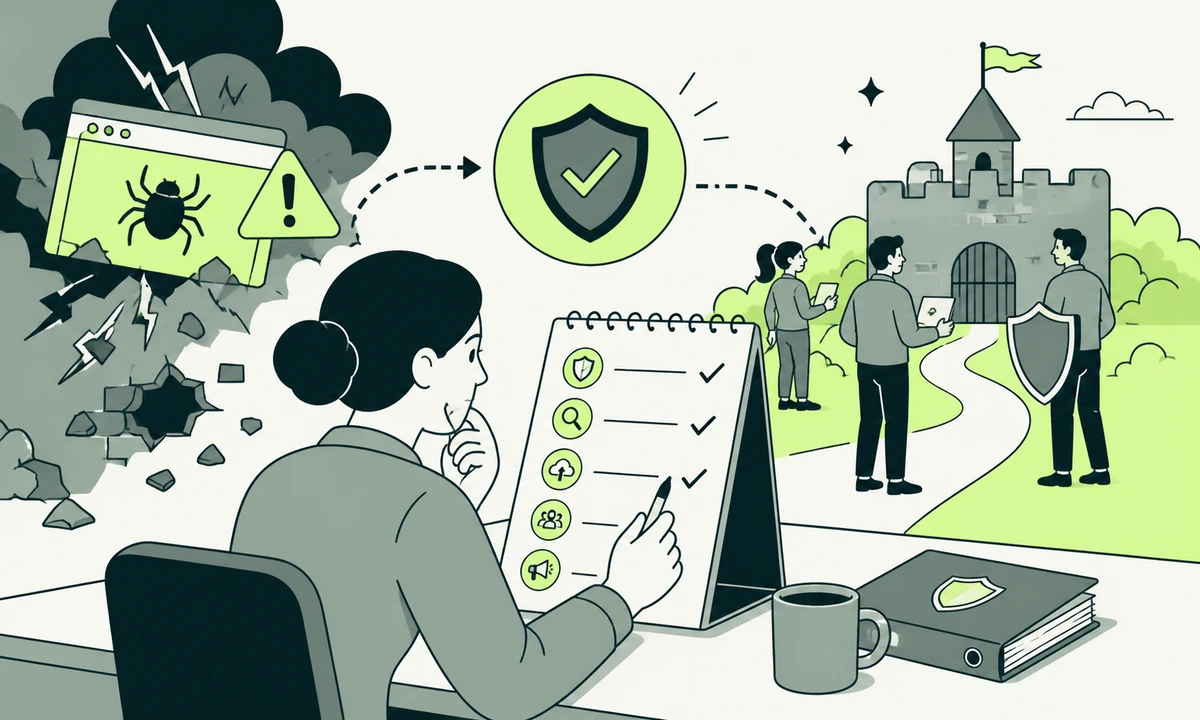
The call arrives at nine on a Saturday. A page is redirecting somewhere unfamiliar, or a customer has sent a screenshot of a paragraph nobody wrote. The person who notices is rarely the person with access, and the person with access is on a train with no laptop and a phone at eleven per cent.
An incident response plan is not the document most people picture. Nobody reads a thirty-page policy at nine on a Saturday. What decides how the next few hours go is a small set of artefacts prepared while nothing was wrong, plus a sequence a tired person can follow without having to make judgement calls under pressure.
Four artefacts. An access register, a backup you have actually restored, a contact tree, and a holding statement written before you needed it. Everything else is detail. With those four in place a bad day stays a bad day. Without them it becomes a bad quarter, because most of the damage in a small-business compromise arrives after the intrusion rather than during it.
A plan is artefacts, not a document
Security policies are usually written for an auditor and read by nobody afterwards. They describe intentions in the passive voice: access shall be reviewed, backups shall be maintained. On the day, none of that produces an action. Somebody has to know which account can take the site offline, and where the credentials for it are kept.
So the test of a plan is not whether it is thorough. It is whether one specific tired person can complete step one without asking anybody for permission, at an hour when the people who grant permission are asleep. Write for that person. They are the only reader who matters.
Some of what you can do on the day was settled long beforehand, by decisions about where the site runs and who holds the keys. That is the practical weight of hosting decisions that are hard to reverse: whether you can roll back an environment, whether logs exist and for how long, and whether anybody outside the vendor can take an image of the machine. If the answer to all three is no, your plan is really a support ticket with a covering note.
The four artefacts share one useful property: each of them is verifiable. You can prove a backup restores. You can prove a register is current by handing it to somebody unfamiliar and watching them use it. You cannot prove a policy works, which is exactly why policies survive for years without anybody noticing they describe a system that no longer exists.
The access register
Start here, because on the day this is the artefact you reach for first and the one least likely to exist. It is a plain list of who and what can change your systems.
What goes in it
- Every account with administrative rights over the site, the hosting, DNS, the CDN, email and any payment tooling.
- Who holds each account personally, and who can reach it if that person cannot be contacted.
- Where multi-factor codes live, and whose device generates them.
- Every API key, deploy token and integration with write access, plus what it is for.
- Every third party you issued a login to: agency, freelancer, plugin vendor, analytics contractor.
- The registrar, and the email address domain recovery is sent to.
That last line has ruined more otherwise recoverable days than any other single item. Domain recovery routes to an address. If that address sits inside the systems which are compromised, you have a circular dependency at the worst possible moment, and the people who can break it work for a registrar with a queue.
Where it lives
Outside the systems it describes. A register stored in the wiki that runs on the affected server is a document you will read afterwards, with feeling. Keep it somewhere separately authenticated, keep a printed copy if the business is small enough for that to be sensible, and review it on a schedule rather than on a hunch. That review is the same discipline as access hygiene and the people who left, because the accounts nobody remembers are reliably the accounts that get used against you.
A backup you have actually restored
A backup is a claim until somebody restores it. Until then you have a file with a reassuring name and a green tick in a dashboard, which is a different thing entirely.
Location decides most of it. A copy held on the same server, in the same account, reachable with the same credentials, is not a backup: it is a second copy of the thing about to be encrypted or deleted. That is the whole argument in is your backup a backup, or just a copy in the same place, and it is the most common gap we find when somebody asks us to look at their setup.
Run the drill properly at least once. Restore into a clean environment, not over the top of a working one. Use the person who would genuinely do it on the day rather than the person who set it up. Time it, and write down what was missing: the database was there but the uploads were not, the files came back but nobody knew the environment variables, the restore worked but DNS pointed elsewhere for an hour. Every one of those is a normal finding, and every one of them is better found on a Wednesday.
Then the uncomfortable second question, which almost nobody asks: how far back does retention actually go? Compromises are frequently discovered long after they begin. If every copy you retain already contains the back door, restoring is redeployment of the problem with renewed confidence. Retention depth is a security decision rather than a storage decision, and it should be set by how long you might plausibly go without noticing.
The contact tree
A contact tree is who calls whom, in what order, with what authority. It is not a list of addresses in a shared folder. It names people, states what each one is empowered to decide, and gives an alternate for every entry.
At minimum it covers: whoever can take the site offline without asking, whoever can speak for the business in public, the hosting provider’s escalation route rather than its general support queue, whoever controls the registrar, legal counsel, and, where payment or personal data is involved, the person who owns the regulatory notification duty. That last role is often unassigned until the moment it is needed, which is the worst possible time to discover it.
Two properties make the difference. It has to work offline, on paper or on a device that is not part of the affected estate. And every entry needs a deputy, because a tree with one name at the top is a plan that quietly depends on one person being reachable. Test it once by calling round on a quiet afternoon. People change roles and change numbers without telling the document.
If email, chat or the CMS might be compromised, do not run the response through them. An attacker reading your incident channel learns what you know and how fast you are moving. Agree the fallback channel before you need it, write it into the contact tree, and make sure the people who need it have joined it while nothing is happening.
The holding statement
Write it now, while nobody is upset and everyone is thinking clearly. A holding statement says three things: what you currently know, what you are doing about it, and when you will say something next. It does not speculate about cause, blame a vendor, or promise that nothing was taken.
That last restraint is the one people break. The instinct on the day is to reassure, and the sentence that gets written is some version of no customer data was affected. Say it before you know it and you will either be lucky or you will have to retract it, and a retraction turns an incident into a credibility story that outlives the technical fix by a very long way.
The statement is far easier to write when there is less to explain, which is the practical case for collecting less in the first place. Data you never stored is data you never have to account for, and every field you removed a year ago is a paragraph you do not have to write today. Prepare a short version for customers and a longer one for partners, then get both approved in advance by whoever would need to approve them. Approval is what takes hours during an incident, not drafting.
Decide where it publishes, too. A status route that does not depend on the affected application is worth setting up in advance, because publishing an incident notice through the compromised CMS is both awkward and, occasionally, impossible.
| Artefact | Where it has to live | The test that proves it is real |
|---|---|---|
| Access register | Outside the systems it describes | Somebody unfamiliar can list every admin from it in ten minutes |
| Backup | A different account, ideally a different provider | A completed restore into a clean environment, checked field by field |
| Contact tree | Printed or offline as well as online | A call round that reaches everyone without the office network |
| Holding statement | Drafted, approved, unpublished | Legal and leadership have already signed the exact wording |
| Status route | Independent of the main application | It can be updated while the site itself is offline |
The first hour, in order
Order matters here more than speed, because two of the common instincts destroy information you will need later. Work through this sequence rather than around it.
- Confirm it is real. Reproduce the symptom yourself, from a network and a device that are not part of the estate. A monitoring alert is a claim, and a customer screenshot can be a cached page from an hour ago.
- Start a timeline. One document, timestamps, who did what and when. It feels like overhead for about four minutes and then becomes the most useful artefact you have, for the technical review, for an insurer, and for any regulator who asks.
- Contain before you investigate. If customer data might be moving, take the affected surface into maintenance mode. A site that is briefly offline is a smaller problem than a site that spends the afternoon serving malware to its own customers.
- Preserve evidence before you clean. Snapshot the server, export the logs, keep copies of the modified files. Reinstalling first is the most common mistake, and it permanently destroys the answer to how they got in, which means you cannot know whether you closed it.
- Rotate credentials from a clean device. Hosting, database, registrar, CMS administrators, API keys, deploy tokens. Rotating from a machine that might itself be compromised simply hands over the new set.
- Work the contact tree. In order, on the agreed channel. Tell people what you know, including the fact that you do not yet know much. Silence from a leader gets filled with guesswork from everybody else.
- Publish the holding statement. The pre-approved one, with today’s facts filled in and a stated time for the next update. Then meet that time, even if the update is that there is no update.
Notice what is not in that hour. Nothing about identifying the attacker, nothing about patching the vulnerability, nothing about attribution or motive. The first hour is containment, evidence and communication. Everything else belongs to the first day, and treating it as urgent is precisely how the evidence gets destroyed.
The measure of a plan is not how it reads on a Tuesday. It is how much of it a tired person can execute at nine on a Saturday, alone.
After the first day
The write-up matters more than the fix, because the fix addresses one hole and the write-up addresses the class of hole. It should record the entry point if you found one, the dwell time as far as you can establish it, what was accessible, what was actually accessed, and which of your four artefacts let you down.
Findings then need severity and priority kept apart, because they answer different questions: how bad this could be, and what somebody should do on Monday. Turning raw findings into something a non-specialist can read and act on is its own piece of work, and it is the shape a tool such as Prooflin is built for, resolving findings, severities, priorities and recommendations into a reviewable report. On the anatomy of a single finding, our parent company has written a piece worth reading before you write your first one.
Expect the entry point to be dull. Reused credentials, an out-of-date plugin, a form with no rate limit, or somebody clicking a convincing invoice, which is why what a small business should actually do about phishing is a better use of a security budget than most of the tooling sold alongside it. The follow-up work is usually unglamorous too: patch cadence, credential rotation, removing the plugin nobody uses any more. That is ordinary website maintenance, and it is what actually reduces the odds of a repeat.
The honest concession: you may never find the entry point. Logs rotate, hosting plans keep less than you assume, and small sites are often compromised by automated scanning that leaves very little behind. When that happens, resist the urge to declare a cause anyway. Rebuild from known-good rather than cleaning in place, rotate everything, and write down plainly that the entry point is unknown. A write-up that admits a gap is more useful than one that invents a tidy ending.
Where we would start
If you do one thing this month, do the restore drill. It is the artefact most likely to be broken, the only one that fails silently, and the one whose failure cannot be improvised around on the day. An access register can be reconstructed under pressure, badly but adequately. A missing backup cannot be reconstructed at all.
Then the register, then the contact tree, then the statement, in that order, because that is the order in which you will reach for them. None of this needs a security programme, a vendor, or a budget line somebody has to defend in a meeting. It needs an afternoon and somebody willing to write down what is actually true rather than what the policy says.
One condition reverses that order. If you hold payment data, health data or anything carrying a statutory notification duty, the contact tree comes first, because the clock starts when you become aware rather than when you finish investigating, and the person who owns that duty has to be findable within minutes. And if recovery turns into a rebuild, which it sometimes should, treat it as a website transformation rather than a restoration, because putting the same architecture back is a decision to have this conversation again. If you would rather pressure-test the four artefacts with somebody outside the team, tell us what you are running and who currently holds the keys.
Common questions.
What should a small business include in an incident response plan?
Four things, all of them verifiable. A register of every account and key with administrative access, stored outside the systems it describes. A backup held in a separate account that somebody has restored into a clean environment. A contact tree naming who calls whom, with deputies and an offline copy. And a holding statement drafted and approved before it is needed. Long policy documents add very little on the day.
What should you do first if your website has been hacked?
Confirm the symptom yourself from a device outside the affected estate, then start a timestamped timeline before doing anything else. Contain next, taking the affected surface into maintenance if customer data could be moving. Only then investigate. The common mistake is reinstalling immediately, which removes the evidence needed to establish how the intrusion happened and whether it has genuinely been closed.
How often should you test that a backup restores?
At least once before you rely on it, and again after any material change to hosting, the platform or the deployment process. Testing means restoring into a clean environment and checking the result field by field, not confirming that a backup job reported success. Have the person who would perform it during an incident run the drill, because familiarity is part of what you are testing.
Should you take a compromised website offline?
Yes, if customer data could be moving or the site is serving harmful content to visitors. A short planned outage is a smaller problem than a site distributing malware or leaking records all afternoon. Put it into maintenance mode rather than deleting anything, take a snapshot first, and publish a holding notice through a route that does not depend on the affected application.
What should a holding statement say after a security incident?
Three things only: what you currently know, what you are doing about it, and when you will next provide an update. Avoid speculating about the cause, naming a vendor, or asserting that no data was affected before that has been established. Then meet the update time you promised, even if the only update is that the investigation is still running.
Who needs to be told when a website is compromised?
Whoever can take the site offline, whoever speaks for the business publicly, the hosting provider through its escalation route, whoever controls the domain registrar, legal counsel, and the person who owns any regulatory notification duty. Customers and partners follow once you have something accurate to tell them. Assign the notification role in advance, because it is usually unassigned until the moment it becomes urgent.
Facing this in your
own business?
Tell us where you’re headed — we’ll map the shortest honest route.