

Why Do Small Sites Get Attacked at All?
Nothing about your site was chosen. Automated scanners look for a version string and a weak login, and what they resell is your hosting, your standing with search engines, and your visitors.
On This Page
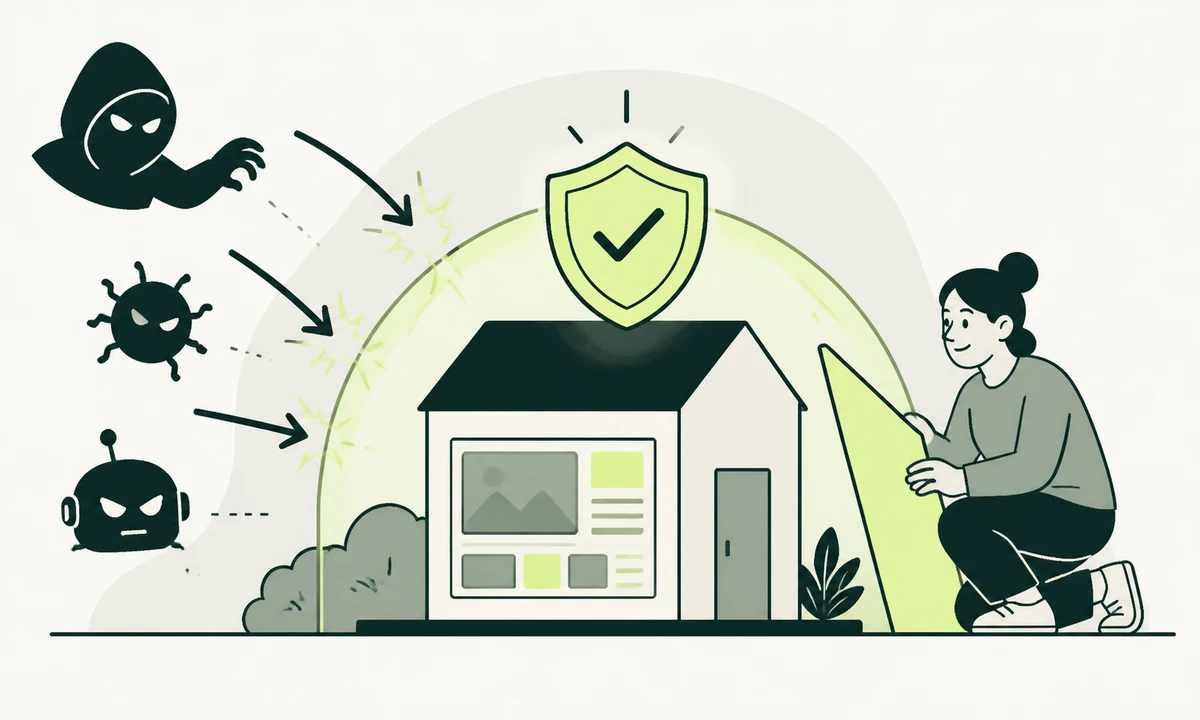
The objection arrives in almost the same words every time: we are too small for anyone to bother with. It is a reasonable thing to believe, and it misdescribes what is happening, because nobody is bothering. Nobody looked at your company, weighed it up, and decided you were worth an afternoon.
Small website security is not about being chosen. It is about software that never chose anything. A scanner walks address ranges and public certificate logs, asks a few very cheap questions of every host it finds, and writes down the ones that answer badly. Your site is a row in a list, and the list is enormous.
Once you replace "who would target us" with "what does an automated request find", the subject becomes tractable and slightly boring, which is the correct emotional register for it. The question was never whether you are interesting. It is whether you are answering.
Nobody chose you, and that is the whole point
Discovery is effectively free, and this is the part that surprises people who assume obscurity is a defence. Every certificate issued for your domain is published in a public transparency log within minutes. Every host answering on the standard ports can be found by scanning. Most content management systems announce their version in the page source unless somebody removed it, and plugins ship files at entirely predictable paths.
So a new domain does not sit quietly for six months building an audience before anyone notices. It gets its first automated probe within hours of its certificate appearing. These are the questions asked in that first second:
- Does a known admin login path exist, and does it respond?
- Which version string is in the generator tag, the readme file, or the query strings on assets?
- Is there a .git directory, an environment file, a backup archive or a database dump sitting in the web root?
- Does the login form rate-limit, and does it helpfully say which half of the credentials was wrong?
- Is there an old account whose password appears in a public breach corpus?
- Does any installed component match a published vulnerability record?
None of that requires a person. All of it costs a fraction of a currency unit per host. And because published vulnerabilities carry public identifiers, descriptions and often working proof-of-concept code, the gap between a disclosure and mass exploitation is roughly the time it takes somebody to add one more check to a scanner. That is the mechanism. It has nothing to do with your revenue.
What your site is worth to someone who does not want your business
The assumption buried inside "too small" is that an attacker wants your customer data or your money. Usually they want neither. Your site holds three things worth taking that have nothing to do with what you sell.
The hosting itself
A compromised site is a machine with an address, bandwidth, a scheduler and outbound network access. That is a commodity with a market. It can send email, host a phishing page imitating somebody else’s bank, relay traffic, run compute, or scan for the next batch of hosts. Small hosting is attractive precisely because it is unwatched: nobody reads the logs, nobody notices the load, and the invoice is a flat monthly figure that never changes.
Your standing with search engines and mail providers
This is the one that catches people out. A domain with years of history, a clean record and rankings for its own name is genuinely valuable to a spam operation. So pages get injected: hidden blocks of links, or whole directories of generated pages selling things you have never sold, frequently served only to crawlers and not to a logged-in administrator. You can look at your site all day and see nothing wrong. The first symptom is usually a warning in a search console or a customer mentioning that their browser flagged you. Recovering from that is slower than closing the hole, and it lands on whoever owns technical SEO rather than on whoever owns the server.
Your visitors, one keystroke at a time
The third asset is the traffic. A script injected into a checkout, a login or a contact form can collect what is typed before it is ever submitted. Credentials are the prize, because people reuse them, and a password harvested from a small site gets tested against email, banking and payroll by another automated process within hours. That reuse is exactly why modern authentication guidance emphasises checking new passwords against known-breached lists and dropping mandatory periodic rotation: the realistic threat is reuse, not somebody guessing.
How they actually get in
Almost all of it is one of five things, and none of them are exotic. The classes of weakness that automated tooling hunts for are the same ones that have sat at the top of public application-security lists for years, and the remedies have not changed much either.
| Route in | What it looks like | What closes it |
|---|---|---|
| Known vulnerable plugin or theme | A version behind a published advisory, matched automatically | Updates on a schedule somebody owns, and deleting what you do not use |
| Weak or reused admin credentials | Login attempts from many addresses, or one success from none | Unique passwords, a second factor on every admin, no shared accounts |
| Files left in the web root | An environment file, a .git directory, a backup archive, a database dump | Deployments that copy build output only, plus a check that runs in CI |
| Unpatched server or runtime | An old language runtime, an old TLS configuration, an old control panel | Managed hosting, or somebody whose job explicitly includes the operating system |
| Abandoned integration or key | An API key from a project nobody runs, still valid and still permitted | Rotating keys when people leave and when projects end |
Notice what is not on that list: a targeted attack by somebody who knows your company name. That happens, and it is a different article. It is not what is knocking on your door tonight. The third row is worth dwelling on, because it is a build and deployment property rather than a security one, which is why we treat it as part of website design and development rather than as an afterthought. And the first row is mostly a question about code you never wrote, which deserves its own reading: the dependency you shipped but did not write covers the part that updates alone do not solve.
What a compromise looks like from the inside
The cinematic version is a defaced homepage with a message on it. The common version is nothing at all, for months, because a defaced site gets fixed and a quiet one keeps producing value.
The real signals are mundane and easy to explain away. A sudden deliverability problem, or mail landing in spam for the first time. A new administrator account nobody created. A file with an executable extension sitting in an uploads directory. Pages appearing in search results with titles in a language you do not publish in. A scheduled task nobody recognises. A plugin that reappears after being deleted. The site being slower on days when nobody deployed anything.
Every one of those has an innocent explanation available, and that is exactly why they survive. Somebody says the mail queue is busy, or that account must be from the old developer, and the meeting moves on. The habit worth building is not paranoia. It is being able to answer who changed this, and when, for the code, the content and the accounts. If you have just inherited a site whose history you do not know, the honest starting position is that you cannot answer it yet, and auditing a WordPress site you have just inherited is a specific exercise rather than a general feeling of unease.
The bill arrives later, and to a different department
The cost of a compromised small site is rarely the cleanup. Cleanup is a day, or a restore from a backup you hopefully have and have hopefully tested at least once.
The costs that hurt are downstream and they land on people who were not in the security conversation. Injected pages take time to clear from a search index long after the code is gone. A domain that sent phishing ends up on blocklists, and getting a business domain trusted again by mail providers is slow and largely outside your control. If customer data was touched, disclosure is a legal question with a clock attached rather than a communications preference. And the first customer conversation happens before anybody has the facts, which is its own discipline: what to say while you still do not know is worth deciding on a calm Tuesday, because the middle of an incident is the worst possible moment to invent a policy.
Restoring is the step that fails: an incomplete database dump, missing uploads, a plugin version that no longer exists anywhere, or an archive that has been quietly copying the compromise for three weeks. Restore into a scratch environment on a schedule, and write down how long it took and what was missing. That number is your real recovery time, and it is usually the first honest metric a small team has ever had.
What actually reduces the risk
In this order, because the order is where most of the value sits. The first three remove more exposure than everything else combined, and none of them require a product.
- Remove what you are not using. A deactivated plugin still ships files that a request can reach. The safest component is the one that is not installed. This is the single highest-return hour available to you.
- Make updates somebody’s job, with a date on it. Updating when we remember is the same as not updating. A monthly slot with a staging check beats an annual heroic effort, and unglamorous website maintenance is where most of this risk genuinely lives.
- Second factor on every administrative account, without exceptions. Including the hosting panel, the registrar and the email account that can reset both. The registrar is the one people forget and the one that loses you everything at once.
- Get secrets out of the web root and out of the repository. Environment files, backups, database dumps and version-control directories are checked for on the first pass, every time, by everyone.
- Reduce how many people have an account at all. Every dormant editor login is a credential somebody may have reused elsewhere. Remove people when they leave, not when you next tidy up.
- Turn on the response headers you already have available. A content security policy and strict transport security cost nothing per month and shut down whole classes of injection and downgrade. They are configuration, not a purchase.
- Keep one backup copy the site itself cannot reach. Ransomware and clumsy scripts both delete exactly what they can see, and a backup stored on the same machine sits inside that blast radius.
If you run WordPress, the project publishes its own hardening documentation and it is more specific and more current than anything a vendor will tell you on a sales call. Read it once, apply the parts that fit your hosting, and note which parts you deliberately skipped and why.
A scan is not a plan
Run a scanner and you get a list. The list is not a plan, and treating it as one is how a team spends a week on a header nobody can exploit while an administrator account with a reused password stays wide open.
Severity is a property of the weakness. Priority is a property of your situation: what it would take to exploit, what it reaches once exploited, and what it costs you to fix. A high-severity issue in something unreachable from the internet can wait behind a medium-severity one on your login form. Our parent company has written about the anatomy of a finding, and that distinction is the difference between a report that gets acted on and one that gets filed.
It is also the gap between raw output and something a client or a board can act on. A tool like Prooflin resolves findings, severities, priorities and recommendations into a reviewable report, which is a different artefact from a wall of scan results. The judgement still has to belong to a person. The packaging matters more than most technical people are willing to admit.
Before commissioning anything larger, settle the sequencing question: a penetration test or the obvious fixes first has an answer, and for most small sites the answer is not the penetration test. Start instead with what an automated scanner finds on your site today, because that is the same list your uninvited visitors are already working from.
The first afternoon
An honest limit before the checklist. Nothing above stops a determined attacker who has picked you specifically, and nothing above helps if your hosting provider is breached at their own level. What this work does is take you out of the automated pool, which is where nearly all of the volume is. That is a real and worthwhile goal. It is not the same as being secure, which is not a state anybody occupies permanently.
So, the afternoon. List every account with administrative access to the site, the hosting, the registrar and the DNS, then delete the ones that should not exist. Add a second factor to the ones that remain. Delete every plugin and theme that is deactivated. Check by hand whether a version-control directory or an environment file answers over HTTP. Then write one line stating who is responsible for updates, and when the next one happens.
Most small-site compromises are not clever, and neither are the fixes. That is the good news buried in all of this. The automated pool is filtered by effort rather than by cunning, and a site that answers the cheap questions correctly stops being a row on the list.
If the answer to that last line is nobody, that is your actual finding, and it is worth considerably more than any scan report, because it is the one thing no tool can supply. If you would rather hand the schedule to someone else than keep it in your head, that is a conversation worth having before an incident rather than during one.
Common questions.
Why would anyone attack a small business website?
Because nobody attacked it specifically. Automated tools scan enormous numbers of hosts and record the ones that answer badly, without any assessment of the business behind them. What has value is the hosting itself, the domain reputation that can be used to place spam, and the credentials visitors type in. None of those depend on the size of the company.
How do attackers find small websites?
Mostly through public information that costs nothing to collect. Certificates issued for a domain appear in public transparency logs within minutes, hosts answering on standard ports can be found by scanning address ranges, and many platforms publish their version in the page source. A new site typically receives its first automated probe within hours of going live.
How do I know if my website has been hacked?
Look for signals that are easy to explain away: a new administrator account nobody created, a scheduled task you do not recognise, files with executable extensions in upload directories, pages appearing in search results in a language you do not publish in, or a sudden email deliverability problem. Many compromises are deliberately invisible to a logged-in administrator.
Is WordPress less secure than other platforms?
Not inherently, but it is the most common target because it is the most common platform, and most incidents trace back to third-party plugins and themes rather than the core software. The practical difference is how much unmaintained code a site accumulates. A site with five actively maintained plugins is in a very different position from one with thirty.
Do I need a penetration test for a small website?
Usually not as the first step. A penetration test finds problems that require skill to discover, while most small sites are compromised by problems that require none. Close the obvious routes first: remove unused components, update on a schedule, add a second factor everywhere, and get secrets out of the web root. Test afterwards, when the findings will be worth paying for.
What is the single most useful security change for a small site?
Deleting what you are not using. Deactivated plugins and themes still ship files that a request can reach, and unused components are the most common route in. It costs nothing, requires no product, takes about an hour, and removes more exposure than any tool you could buy in the same week. Updating what remains comes second.
Facing this in your
own business?
Tell us where you’re headed — we’ll map the shortest honest route.