

How Do You Audit a WordPress Site You Have Just Inherited?
You inherit the site, not the reasoning behind it. Work in this order: access, backup, versions, plugin provenance, theme changes, then speed. And fix almost nothing in the first week.
On This Page
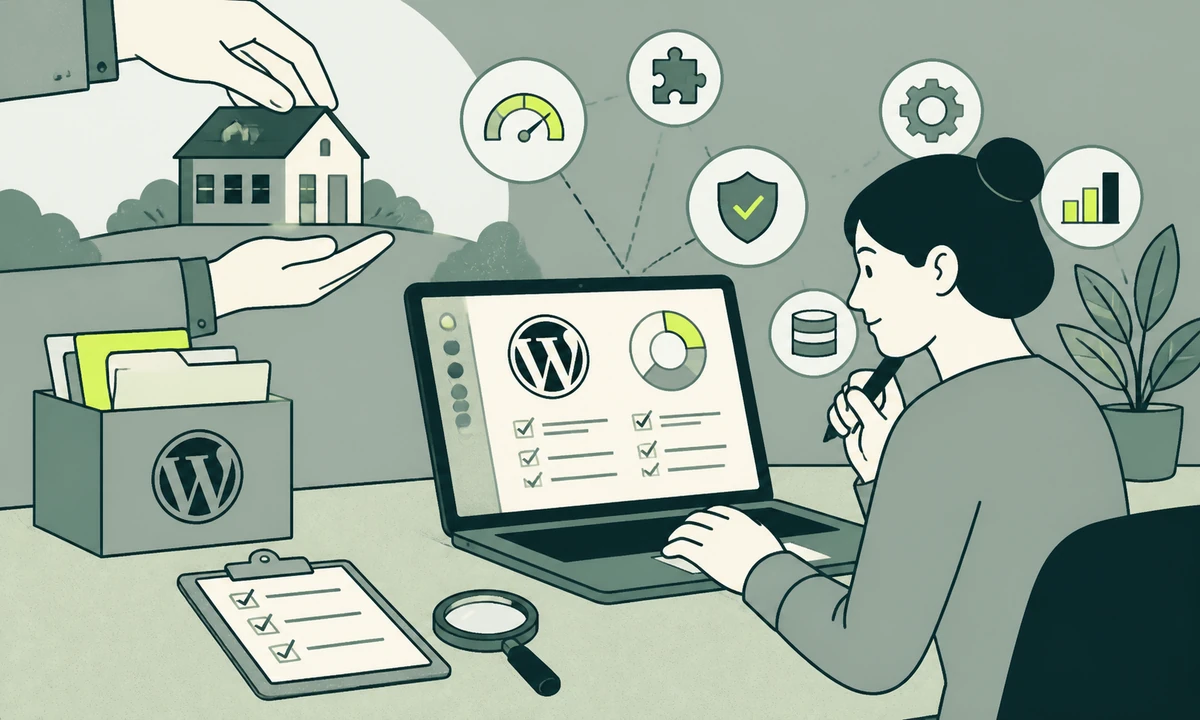
You have the admin login and not much else. The agency that built the site has stopped replying, the person who briefed them left last year, and the site keeps taking orders every morning regardless. Somewhere in that plugin list is one thing holding the checkout together and one thing that has not been touched since two major WordPress releases ago. Nobody can tell you which is which.
The instinct is to run a scanner, print whatever it says, and start fixing on Monday afternoon. Resist that for a week. A WordPress site audit on an inherited install is an inventory exercise before it is a technical one, because the expensive surprises almost never come from something everybody knew was broken. They come from something nobody knew existed.
Order matters more than thoroughness. You can read every line of a child theme and still lose the site because a domain renewal notice goes to an inbox nobody monitors. So the sequence below runs from the things that can end you towards the things that merely annoy you, and it is the same order we work in when we pick up a maintenance engagement on a site we did not build.
One ground rule before the list. Write everything down as you go, in a document that lives outside WordPress. Half the value of this week is the artefact, not the findings.
The sequence, in order
Six passes, roughly one a day. Do not reorder them for convenience. Each one narrows what the next one has to look at, and skipping ahead is how people spend Thursday debugging something they could have switched off on Tuesday.
- Access inventory. Establish what you control and what you merely borrow. Nothing else is safe to begin until this is settled.
- A backup you have restored. Not a backup plugin with a green tick. A copy of the files and the database, pulled off the server, restored elsewhere, and confirmed to load.
- Versions. Core, PHP, the database engine, the theme, and every plugin. The gaps tell you the story of how the site was maintained and when the maintaining stopped.
- Plugin provenance. Where each one came from, whether it is still published, what it is doing here, and what breaks if it stops.
- Theme modifications. Whether you are looking at a stock theme, a child theme, or a stock theme somebody edited in place and never mentioned.
- A performance baseline. Numbers captured before you change anything, so later improvements are provable and later regressions are attributable.
Day one is access, not code
The first question is not what the site runs on. It is what happens if you have to move it tonight. Work through the list below and mark every line owned, borrowed, or missing. Borrowed means somebody else can revoke it without telling you, which for practical purposes is the same as missing.
- The domain registrar. The account that owns the name, and the address the renewal notice goes to. This is the single point of failure everyone forgets and nobody survives twice.
- DNS. Frequently somewhere else entirely, and frequently the reason a migration stalls three weeks in.
- Hosting. The control panel, and separately SFTP or SSH. Administrator access to WordPress is not access to the server, and the second one is what you need this week.
- The database. Credentials, and whether you can take a dump of it without asking anybody for permission.
- A repository, if one exists. And if none does, that absence is itself a finding worth writing down.
- Third-party services. Payment gateway, transactional email, CDN, analytics, and the licence keys for every commercial plugin.
- The WordPress users table. Every administrator, when each last signed in, and whether you recognise the name attached to it.
The accounts nobody claims
You will find administrator accounts belonging to a developer who left, a plugin vendor who needed temporary access in a year nobody can name, and an agency that is no longer engaged. Do not delete them on day one. Demote them to a role with no capabilities, note the date, and watch for a week to see whether anything complains. Deleting a WordPress user prompts you to reassign or destroy their content, and answering that prompt in a hurry is how authorship on two hundred posts ends up permanently attached to the wrong person.
A backup is a claim until you restore it
Every inherited site has a backup plugin installed. Most are configured to write archives to a directory on the same server as the site, which protects you against a mistake and not at all against a failure. That distinction is invisible on every day except the one day it decides everything.
So take your own before you change a single setting. Files and database, downloaded off the server, then restored into a local or throwaway staging environment and opened in a browser. If the restored copy renders, you have a backup and a sandbox in the same afternoon. If it half-renders, you have found your first real finding, and it is a serious one. The documented backup procedure is worth reading even if you have done this a hundred times, because inherited sites hide content in places a default routine does not reach: an uploads directory that was moved, a second database used by one plugin, media served from a bucket nobody mentioned.
A restore test on the live server is not a test. It is an outage waiting for a trigger. Use a local environment or a disposable staging host, and keep that copy for the rest of the audit. You will want somewhere you can break things without a conversation.
Read the version numbers before you read the code
Versions are the cheapest diagnostic available and the one people skip because it feels too simple to be worth the hour. Collect all of them in one place: WordPress core, PHP, the database engine, the theme, and every plugin with its installed version set against its currently published version. The result is a rough chronology of the site written by nobody in particular.
What the gaps tell you
A site where everything is current except three plugins is a maintained site with three known problems, and somebody made a decision about each of them. A site where everything stopped within the same fortnight is a site that was abandoned on a specific date, and that date is usually when a contract ended. The second case is more work and better news, because you are reading one era of decisions rather than five overlapping ones.
Check PHP first, because it constrains everything above it. A site on an unsupported PHP release cannot take current versions of much, so you will sometimes have to move PHP before you can move anything else. That ordering surprises people who assumed core was the starting point, and it changes the shape of the plan you are about to write.
Commercial plugins and the licence problem
Commercial plugins update only while a licence is active. On an inherited site, several of those licences have usually lapsed, and the renewal was charged to a card belonging to somebody who left. Until each licence is restored, that plugin cannot receive security fixes at all, which quietly converts a maintenance question into a security one. Find every commercial plugin, establish its licence status, and price the renewals before you promise anybody a timeline. This single check has changed more budgets than any other item on the list.
Plugin provenance: the slowest part of a WordPress site audit
This is where the week goes. For every active plugin, answer four things: where it came from, whether it is still published and maintained, what it is actually doing on this specific site, and what breaks if it stops.
The third question is the hard one. Plugin names describe intent, not behaviour, and on a site that has passed through several hands the intent has drifted. The only reliable way to learn what a plugin does here is to switch it off in a copy of the site and look. Which is exactly why the restored backup earned its place two days earlier in the sequence.
The ones to open first
Three categories deserve immediate attention. Plugins that have been pulled from the public directory, because removal usually follows either a security report or an abandonment, and both matter. Plugins that duplicate each other, because two caching layers or two SEO plugins do not add up, they interfere, and the resulting behaviour is nobody’s design. And plugins installed from a zip file with no listing anywhere, which are either bespoke work worth preserving carefully or an unlicensed copy of something commercial. You need to know which, and the answer is rarely in the code header.
Record findings in a shape somebody else can act on: what it is, how bad it is, and what to do about it, kept as three separate fields. Severity and priority are different judgements, and collapsing them is how audit documents become unreadable by the person paying for them. A tool such as Prooflin takes that separation seriously, resolving findings, severities and recommendations into a report that can be reviewed rather than merely received, and our parent company has written about the anatomy of a finding in more detail than we have room for here.
You will be tempted to start deleting once the list is in front of you. Count first, understand second, delete third, and read how many plugins is too many before you set yourself a target number, because the count is a symptom rather than the illness. Twelve well-chosen plugins can be heavier than thirty small ones.
Where the theme has been edited in place
A WordPress theme is in one of three states, and only one of them is safe. It is a stock theme, unmodified, updating cleanly. It is a child theme holding the customisations, with the parent updating cleanly underneath it. Or it is a stock theme somebody edited directly, which means the next update erases work nobody documented and nobody notices until a client asks why the footer changed.
Finding out is mechanical rather than clever. Download a clean copy of the theme at the version installed, and diff it against what is sitting on the server. Every difference is either a deliberate customisation that belongs in a child theme, or a change nobody remembers making. Both are findings. The second should worry you more, because unexplained file changes on a WordPress install are also what a compromise looks like from the outside.
Check the places that are not the theme
Customisations hide in more than one directory. The mu-plugins folder loads whatever it contains with no way to switch it off from the admin, which makes it both useful and dangerous. A child theme functions file that has grown into an application is common on older sites. Snippet plugins hold code somebody pasted in from a support thread years ago. Read all three before you touch anything, because the snippets in particular tend to contain the fix for a bug nobody wrote down, and removing them re-opens it in a form that looks new.
At the end of this pass you can make a judgement that most teams leave implicit: whether the theme is still an asset. A theme that cannot be updated, whose author has gone quiet, and whose customisations live in files that updates would overwrite has stopped being a head start and become a liability. Say so explicitly in the document, with the evidence, rather than letting it be discovered later.
Take the baseline before you improve anything
Measure while the site is still somebody else’s work. Capture field data if the site has enough traffic to produce any, lab data from a consistent device and connection profile, server response time on a cold cache and again on a warm one, and the total page weight of the three templates that matter: the home page, a listing page, and whichever page takes the money.
The baseline is not for the report. It is so that in six weeks, when a page is slower, you can say which change did it. Without it, every performance conversation collapses into an argument about whether the site was ever fast, and that argument has no winner. Technical SEO work runs on the same evidence and benefits from the same discipline. The usual culprits on an inherited install are documented in why WordPress is slow, and they are almost never the ones the previous team blamed in the handover email.
You cannot improve a site you have not measured, and you cannot defend a change you cannot attribute. The baseline costs an hour on day five and is unrecoverable on day fifty.
What to fix immediately, and what to leave alone
Here is the part most audits get wrong. An inherited site is a live system with real users on it, and the urge to tidy is not a reason to change anything. Sort every finding into three buckets, and be strict about the third one, because that is where the discipline actually lives.
| Finding | When to act | Why |
|---|---|---|
| Administrator accounts nobody recognises | Immediately | Demote first, delete later, after checking content ownership. |
| Lapsed commercial plugin licences | Immediately | Without a licence the plugin cannot receive security fixes at all. |
| No backup held off the server | Immediately | Every other decision assumes you can undo it. |
| Missing security headers | This week | Low risk to add, a whole category of attack closed. |
| Outdated core and plugins | This week, staged | Update the restored copy first, one at a time, checking between each. |
| Unsupported PHP version | Scheduled and tested | It will break something. Plan it rather than discover it. |
| A plugin you cannot explain | Leave alone | Until you know what it does, switching it off is a coin toss with a live site. |
| A theme edited in place | Leave alone | Rebuild it as a child theme deliberately, not under Friday pressure. |
| A slow page nobody visits | Leave alone | Baseline it and move on. Effort belongs where the traffic is. |
The middle bucket is where genuine quick wins live. Adding the security headers that matter costs an afternoon, changes nothing a visitor can see, and closes off a set of attacks you would otherwise be relying on luck to avoid. It is the rare improvement with almost no blast radius, which is why it belongs in week one rather than in a proposal for next quarter.
If you cannot describe what a change does and how to undo it, each in one sentence, it is not a week-one change. Write it down, schedule it, and move on. An inherited site punishes confidence far more reliably than it punishes caution.
What the document has to answer
At the end of the week you have a document rather than a fixed site, and that is the correct outcome. The document exists to answer one question the owner genuinely has, which is rarely the question they asked: is this site worth maintaining, or is it worth replacing?
Our rule is short. Repair when the content model is sound and the problems are operational. Replace when the content model is the problem. A site with tidy structured content and forty accumulated plugins is a maintenance job, and a good one. A site where every page is a wall of pasted markup inside a page builder is a rebuild, because every improvement you make has to be made again on the next page, and then again on the one after that. If replacement is the answer, the archive becomes the constraint, and migrating years of pages without losing them is a discipline of its own, separate from building the new site.
There is an honest limit to all of this, and it should be stated in the document rather than discovered later. A week is not long enough to find a determined compromise, and none of the above replaces a proper security review if there is reason to think the site has already been breached. An audit tells you what is there. It does not prove that nothing else is.
Start Monday with the registrar login and finish Friday with a restored copy running on your own machine. If the verdict turns out to be replace rather than repair, a website transformation is a different sequence carrying different risks, and it should be planned as one rather than drifted into. If you want a second read on what you have inherited, tell us what you found and which part of it you cannot explain yet.
Common questions.
How long should a WordPress site audit take?
About a week of focused work for a typical business site, split into six passes: access, backup, versions, plugins, theme and performance. Larger sites take longer, but the sequence stays the same. The limiting factor is rarely the technical work. It is waiting on credentials from third parties, chasing licence details for commercial plugins, and confirming who owns the domain.
What should I check first on a WordPress site I did not build?
Check who controls the domain registrar and DNS, before anything technical. Admin access to WordPress is not the same as control of the site, and a renewal notice sent to an inbox nobody reads can take a site offline more completely than any bug. After that, confirm server access, database credentials, and every administrator account in the users table.
Should I update all the plugins straight away?
No. Update on a restored copy first, one plugin at a time, checking the site between each. Bulk updating a site you do not understand turns a known state into an unknown one, and if something breaks you will not know which change caused it. The exception is a plugin with a publicly disclosed vulnerability being actively exploited, which is a security incident rather than maintenance.
How do I tell whether a WordPress theme has been modified?
Download a clean copy of the theme at the version currently installed and compare it file by file against the server. Any difference is either a deliberate customisation or an unexplained change. Also check the mu-plugins directory, the child theme functions file, and any snippet plugin, because customisations on older sites are frequently spread across all of them rather than kept in one place.
What do I do about administrator accounts I cannot identify?
Demote them to a role with no capabilities rather than deleting them, and record the date you did it. Deleting a WordPress user prompts you to reassign or destroy their content, and answering that prompt carelessly can reattach authorship across many posts permanently. Wait a week, see whether anything breaks or anybody objects, then remove the accounts properly.
When is an inherited WordPress site worth rebuilding instead of repairing?
Rebuild when the content model is the problem rather than the maintenance. If pages are structured content in defined fields, a messy install is a maintenance job and the content survives. If every page is pasted markup inside a page builder, each improvement has to be repeated page by page forever, which makes repair more expensive than replacement over any reasonable horizon.
Facing this in your
own business?
Tell us where you’re headed — we’ll map the shortest honest route.