

When Is a WordPress Theme a Liability Rather Than a Head Start?
A theme is rented architecture. The day the updates stop, the plugins arrive bundled and the content is trapped in shortcodes, your WordPress theme choice has become a debt with interest.
On This Page
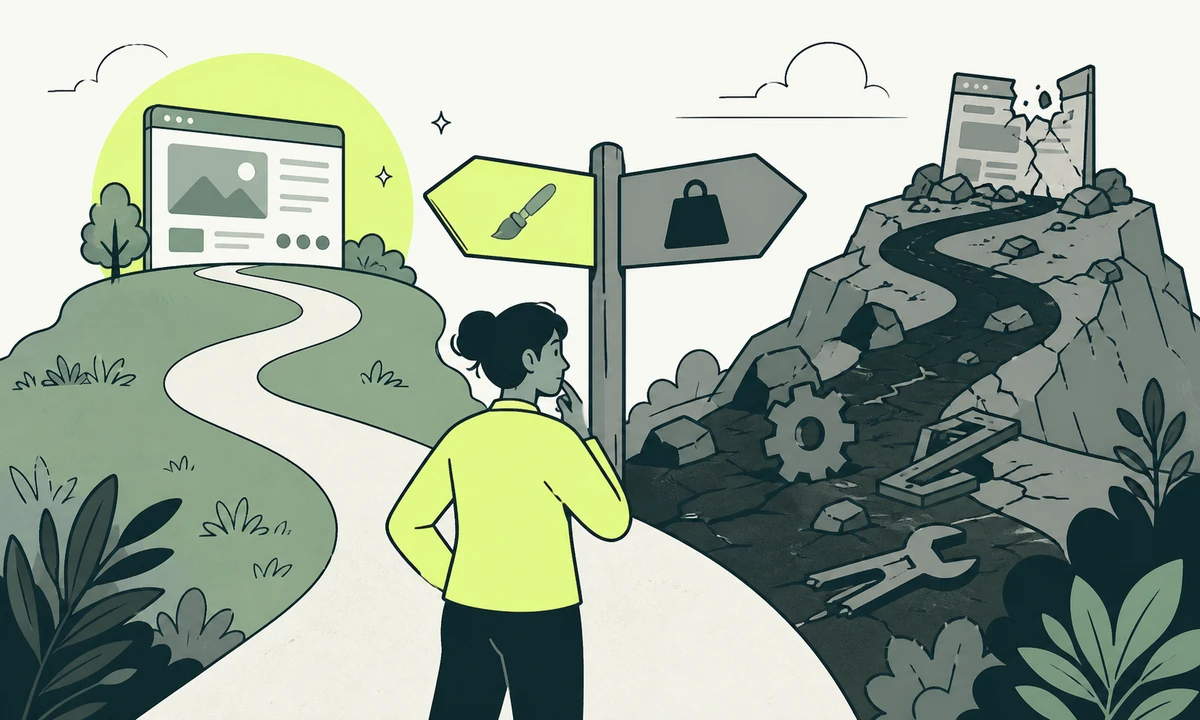
A theme is rented architecture. You pay once, you get a finished-looking site in a week, and for a year or two that is a genuinely good trade. Nobody should feel bad about buying one. The problem is that the trade has a second half, and almost nobody reads it at purchase time.
The second half is this. A theme is not decoration. It is code that owns your templates, frequently your content structure, sometimes your database rows, and occasionally your ability to update WordPress at all. That is fine while somebody is maintaining it. The moment nobody is, the theme stops being a head start and becomes the thing holding the site down. Getting the WordPress theme choice wrong at the outset is survivable. Failing to notice when a good choice has gone bad is what costs a rebuild.
There are four signals, and they arrive in a fairly predictable order. Each one alone is tolerable. Two together mean you should be planning an exit even if you are not taking one yet. All four means the site is effectively being maintained by a vendor you have never met, on their schedule, for their reasons.
What you are actually buying
A WordPress theme, described honestly, is three things bundled together: a set of templates that decide markup, a stylesheet that decides appearance, and a pile of functionality that has no business being in either. The first two are replaceable at will. The third is where the liability lives.
The rule that has never failed us is short. Anything that would still matter if the design changed tomorrow belongs in a plugin or in the content, never in the theme. Custom post types, custom fields, shortcodes, form handlers, structured data output, tracking snippets: all of that is functionality, and functionality that lives inside a theme is functionality you lose the day the design changes.
Commercial multipurpose themes break this rule as a business model, not by accident. The more of your site that depends on the theme, the less likely you are to leave, and the licence renews. That is not villainy. It is an incentive you should be able to see clearly while you are still deciding.
Signal one: the update log went quiet
Abandonment is never announced. Themes do not send a letter. What happens is that support replies get slower, the roadmap page stops changing, the bundled libraries stay on versions nobody else still ships, and one day a WordPress release breaks something that nobody is going to fix.
How to check, in five minutes
Open the changelog. Not the marketing page, the actual version history. Compare the date of the last meaningful release against the last two WordPress major versions. If the theme has not shipped anything since before them, you are running unmaintained code on a platform that keeps moving underneath it.
The security consequence is the part people underrate. An unmaintained theme ships unmaintained dependencies, and dependencies are the ordinary route into a WordPress site. Most of the settings that prevent break-ins assume the code you are running still receives patches. When it does not, hardening buys you time rather than safety, and the honest reading is that an unmaintained theme is an unpatched dependency with a design attached.
This is the cheapest signal to monitor and the one nobody owns. Put it in the maintenance routine: check the theme’s release history on the same schedule you check plugin updates, and treat two quiet quarters as a planning trigger rather than a shrug.
Signal two: the theme brought its own plugins
Multipurpose themes arrive with a bundle: a slider, a page builder, a portfolio plugin, a mega-menu, sometimes a commercial plugin the theme author has resold to you inside the package. The bundle is presented as value. It is closer to a hostage arrangement.
Two things go wrong. The bundled copies update on the theme author’s schedule rather than the plugin author’s, so a security release can sit unapplied until the theme ships its next version, which may be never. And the licence usually belongs to the theme rather than to you, so the day you drop the theme you also drop the plugin, along with whatever content it was quietly storing.
The count matters less than the coupling. We have written about how many plugins is too many, and the honest answer there is that the number is rarely the problem; ownership and overlap are. A bundled slider that nobody can update independently is worse than five plugins you chose deliberately and can each remove on a Tuesday.
Bundles also drag. A theme that loads its whole component library on every page because one template might use an accordion is the most common reason a site feels slow for no obvious reason, and it is not fixable from a caching plugin, because the payload is being generated on purpose rather than by mistake.
Signal three: your content is written in shortcodes
Open a page in the database, or in the code view if the builder allows one. If what you see is a nest of bracketed tags, or a wall of encoded builder markup with your sentences buried somewhere inside it, your content is not portable. It is a rendering instruction that happens to contain words.
What the lock-in actually looks like
Deactivate the theme on a staging copy and look at the front end. Well-modelled content degrades: the words are still there, the layout is plain, the images still load. Locked-in content does not degrade, it disintegrates. Visitors see raw bracket tags where a testimonial used to be, and half the page simply vanishes.
That test takes ten minutes and it tells you the real cost of leaving. It is the same distinction we drew in where your content actually lives: content stored as structured fields can be re-rendered into any design, and content stored as presentation can only be re-typed by a person, page by page, indefinitely.
This signal decides the budget of the eventual migration more than any other, which is why it is worth checking before the redesign conversation starts rather than in the middle of it. A quote given without this answer is a guess wearing a number.
Signal four: the settings panel replaced the editor
You recognise this one when editors stop describing their work as writing and start describing it as finding the right tab. The page is assembled in a proprietary options panel with hundreds of controls, the post editor is a vestigial box nobody uses, and the only person who knows where the footer text lives is on holiday.
The cost is not aesthetic. A theme that owns the editing experience owns your editorial workflow, and the workflow is where publishing speed comes from. WordPress has a block editor that is now the platform’s own answer to page assembly, and a theme that routes around it entirely is a theme betting against the platform it depends on.
When drafting, review and approval all happen inside a vendor panel, the questions that decide publishing speed get answered by that vendor’s design choices rather than yours. Our parent company has written directly about where drafts live and what stops them, and a settings-panel site fails most of the tests in it.
On a staging copy, switch to a default WordPress theme and load your five most important pages. What survives is your content. What disappears is what you would have to rebuild by hand. Do this before anyone quotes for a redesign; it converts a vague worry into a number of pages, which is the only form the finance conversation can actually use.
What staying actually costs
Nobody stays with a bad theme because they think it is good. They stay because the cost of leaving is visible and the cost of staying is not. So make the second one visible.
| Signal | What it costs while you stay | What it does to the exit |
|---|---|---|
| Updates have stopped | Unpatched dependencies, WordPress upgrades you cannot take | Rises with every version you fall behind |
| Bundled plugins | Security releases delayed by the theme’s own schedule | Licences and stored content leave with the theme |
| Shortcode lock-in | Editors avoid touching pages in case they break | Every page becomes manual conversion work |
| Settings-panel editing | Publishing bottlenecked on the one person who knows the tabs | The layout must be redesigned rather than ported |
| Bloated payload | Slow pages that the caching layer cannot rescue | Performance work is wasted until the theme goes |
That last row is the one worth arguing about internally. Performance budgets are a real discipline, and Core Web Vitals work on a theme that ships its entire component library on every request is money spent buying back what the theme takes on each page load. Fix the cause, or accept the number and stop paying for the tuning.
There is also a cost that never appears in a ticket: the pages that do not get made. Teams with a fragile theme stop proposing new page types, because everyone knows what it takes to get one. The site slowly narrows into whatever the theme happened to be good at in the year it was bought.
The exit, in the order that keeps you safe
A theme exit is a migration, and migrations fail for boring reasons rather than dramatic ones. Do it in this order and most of the boring reasons disappear.
- Inventory what the theme owns. Post types, custom fields, shortcodes, forms, menus, structured data output, tracking snippets. Anything on this list has to be rehomed before the theme goes, not afterwards.
- Move functionality into a plugin you control. A small site-specific plugin holding the post types and fields makes the theme genuinely replaceable. Do this first and the rest of the migration stops being frightening.
- Convert the content, not the layout. Turn shortcode soup into real fields or blocks. This is the slow part, and it decides whether the next redesign after this one takes a week or a quarter.
- Rebuild the templates against the converted content. Now the design work is design work. Website design and development against a clean content model is a different job from designing around a builder.
- Hold the URLs. Same paths where possible, a written redirect map where not. Migration work lives or dies on that map, and the map should exist before the launch date is chosen.
- Retire the theme in one step. Do not leave it installed as a safety net. A deactivated commercial theme is still unpatched code sitting in a directory that somebody will forget about.
The content question underneath the exit
Step three is where most of the cost sits, so it is worth asking a larger question while you are already in there: should this content stay in the theme’s world at all? Structured fields, edited in a workspace and rendered by a front end you own, survive every future redesign rather than only this one. A workspace such as Acrosite takes that approach for sites that have left WordPress entirely: editors work in structured fields, it generates the files, commits them to GitHub and triggers the configured deployment. Not every site should go that way. Every site should know why it did not.
When we would keep the theme
The honest concession. Replacing a theme because it is unfashionable is a bad reason, and a well-chosen theme on an actively maintained codebase can serve a small site for years without costing anybody anything. Plenty of the rebuilds we are asked to quote are wanted for reasons the rebuild will not fix.
Keep it when all four of these hold at once:
- The changelog is current, with releases inside the last few months.
- Bundled plugins are few, and each is licensed independently of the theme.
- Content survives a theme switch on staging without collapsing into shortcodes.
- Editors work in the editor rather than in a proprietary settings panel.
That is a maintained tool doing its job, and swapping it for a custom build buys design control you may not need and a maintenance burden you certainly will.
Keep it, too, if the real complaint is speed or security rather than structure. Those are usually fixable in place, and a rebuild undertaken to solve a caching problem is an expensive answer to a cheap question. The larger question of whether to go headless or leave WordPress behind only becomes worth asking once the theme is genuinely the constraint.
A theme you can switch off on a Tuesday afternoon is a tool. A theme you cannot switch off is the site.
Where we would start
Run the ten-minute diagnostic this week, on staging, before any redesign conversation starts. Write down two numbers: how many pages break, and how many custom fields the theme owns. Those two numbers are the whole business case, in either direction, and they are cheap enough to produce that there is no excuse for guessing.
If nothing breaks, you have a theme and not a liability, and the money is better spent elsewhere. If half the site disappears, you are not choosing whether to migrate; you are choosing when, and how much of it happens under pressure. A planned website transformation costs less than an emergency one, and the difference is mostly the redirect map and the content conversion being done calmly.
One last thing, for whoever is about to buy the next theme. Ask the vendor where custom fields are stored, ask whether the bundled plugins are licensed to you or to the theme, and ask what happens to the pages when the theme is deactivated. Three questions, asked before purchase, prevent most of this article.
Common questions.
How do I know if my WordPress theme is abandoned?
Check the theme’s actual changelog rather than its sales page, and compare the last meaningful release against recent WordPress major versions. Slower support replies, an unchanged roadmap and bundled libraries stuck on old versions are the usual accompanying signs. Treat two quiet quarters as a trigger to start planning, because unmaintained theme code also means unmaintained dependencies sitting inside it.
What is shortcode lock-in?
Shortcode lock-in is when page content is stored as bracketed tags or encoded builder markup that only one theme or plugin can render. The words exist in the database, but they are wrapped in rendering instructions, so switching tools leaves visible tag soup or blank sections. It is the biggest single driver of migration cost, because every affected page has to be converted by hand.
Are bundled plugins in a premium theme a problem?
Often, yes, for two reasons. Bundled copies update on the theme author’s schedule rather than the plugin author’s, so a security release can sit unapplied for months. And the licence usually belongs to the theme, so dropping the theme drops the plugin and any content it stored. Independently licensed plugins you chose deliberately are safer than a large inherited bundle.
Should I use a page builder or the WordPress block editor?
Prefer the block editor unless a builder solves a problem the editor genuinely cannot. The block editor is the platform’s own answer, so it keeps receiving attention and its output stays closer to portable markup. Builders can still be reasonable choices, but check first what your pages look like with the builder deactivated, because that view is your future migration.
Can I switch WordPress themes without losing content?
You can if the theme only owns templates and styling. You cannot if it also owns custom post types, custom fields or shortcodes, because those leave with it. Test on a staging copy by activating a default theme and reviewing your most important pages. Whatever survives is genuinely your content, and whatever breaks is work you would have to redo during any move.
What drives the cost of moving off a WordPress theme?
Three things dominate: how many pages store content as shortcodes or builder markup, how much functionality lives in the theme rather than in plugins, and how many URLs change during the move. Design time is usually the smallest part. Converting content and writing a redirect map take the effort, which is why both should be scoped before any rebuild is quoted.
Facing this in your
own business?
Tell us where you’re headed — we’ll map the shortest honest route.