

Hardening WordPress: The Settings That Prevent Most Break-Ins
The break-ins that matter are opportunistic, automated and aimed at known holes in old code. Patch cadence beats every security plugin, and a backup you have never restored is not yet a backup.
On This Page
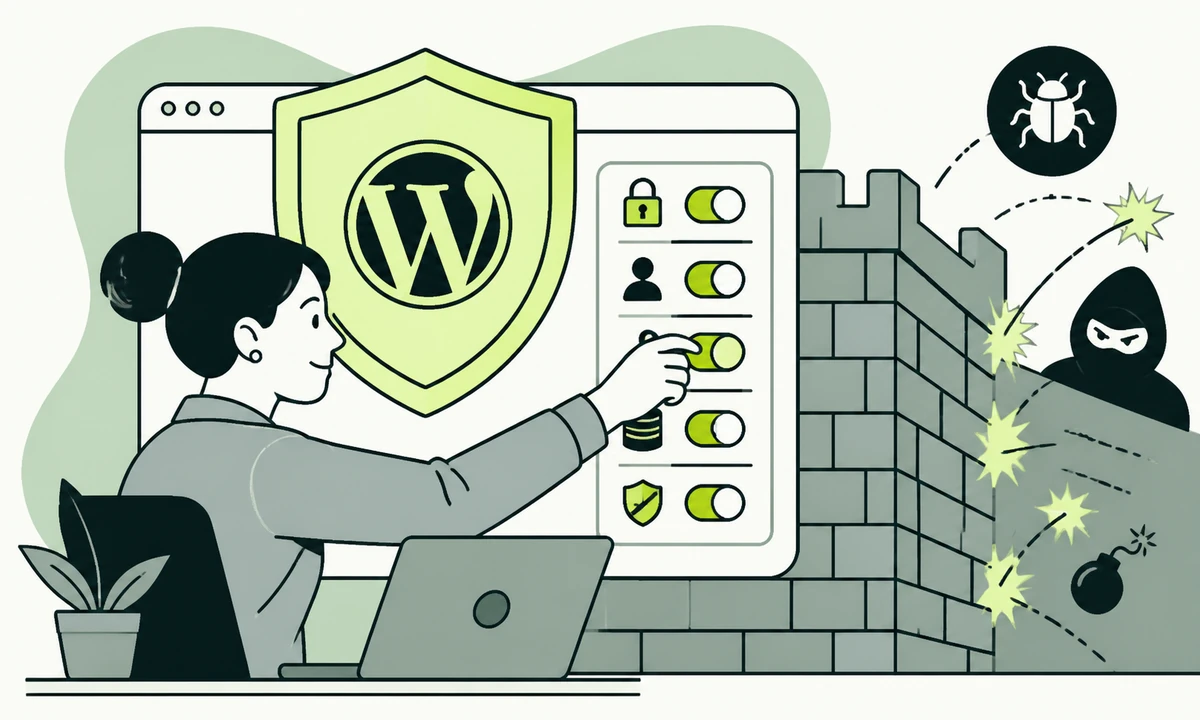
A WordPress site gets broken into on a Tuesday, and the post-mortem produces the same sentence almost every time: a plugin nobody had used in a year carried a published hole, with a fix available for months. Nobody targeted the business. A script found the site, tried a list of known holes, and one of them was open.
That is what WordPress security hardening is actually about. Not sophisticated attackers, not a firewall product, and not a settings screen full of green ticks. The overwhelming bulk of what goes wrong is automated, opportunistic and old, and that has an unglamorous consequence: patch cadence outperforms every plugin-based control on the market, and it is not a close contest.
The rest of hardening is real and worth doing. It just covers the cases patching does not, and if you do it instead of patching you have bought an expensive lock for a door you left standing open.
Which is also, incidentally, what a maintenance arrangement is buying when it is any good: somebody who applies updates on a schedule, reads the result, and notices when something has stopped being maintained.
How sites actually get broken into
Three routes account for nearly everything we find when we are called in afterwards. They are unremarkable, which is exactly the point.
- Known holes in old code. A plugin, a theme, or occasionally core, running a version with a published entry against it. The attacker needs no skill at all; the details are public and the exploit arrives pre-packaged.
- Credentials. Reused passwords, a shared administrator login that four former freelancers still have, or a laptop with something unpleasant on it. No amount of file-permission work helps here.
- The hosting layer. A neighbouring site on the same shared account, an exposed database, a PHP version the host stopped patching, or a forgotten staging copy on a guessable subdomain.
Notice what is not on that list: an attempt aimed at your business specifically. That does happen, and if you have reason to think you are a target, treat this article as the floor rather than the plan. For everyone else, the OWASP Top 10 reads like a description of what the scripts are trying, and what sits at the top of it has been broadly stable for years.
Patch cadence beats every plugin-based control
The window that matters runs from a fix being published to that fix being applied to your site. Everything else in security engineering is an attempt to survive that window. Shorten it and most of your risk disappears. Leave it open and nothing you install will reliably compensate.
This is why we are unenthusiastic about the popular framing where security is a plugin you install. A security plugin adds detection, some rate limiting and a great deal of email. It does not close the hole in the other plugin. Worse, it is itself another body of third-party code running with full privileges on every request, which is precisely the category of thing that caused the problem in the first place.
What a cadence looks like
- Core auto-updates on, including major versions. Unless you have a specific reason not to, and that reason has to be written down and re-checked, otherwise it silently becomes permanent.
- A staging copy that is genuinely a copy. Same PHP version, same plugin set, refreshed from production, not a snapshot from launch that nobody has touched since.
- A fixed weekly slot for plugin and theme updates. Applied on staging, checked against a short written list of pages and forms that must work, then applied to production the same day.
- A same-day path for anything carrying a published advisory. This is the only thing that gets to interrupt the schedule, and it needs a named person rather than a rota nobody reads.
- A record of what was applied and what broke. Six months of that record tells you which plugin is quietly costing you more than it returns.
The plugins nobody remembers installing
Deactivated is not uninstalled. A deactivated plugin still has files on disk, and some holes are reachable without the plugin being active at all. Delete what you do not use, including the themes that shipped with the install and the one from the previous redesign that somebody kept just in case.
Then count what remains. Every plugin is a permanent dependency on a stranger’s release discipline. The question for each one is not "is it useful" but "would I notice if it stopped being maintained". Abandoned plugins do not announce themselves. They keep working perfectly while quietly receiving nothing. That inventory, and the judgement about what stays, is most of what a maintenance retainer actually buys.
Accounts, roles, and the administrator nobody uses
WordPress ships with roles that map reasonably well onto real editorial jobs, and most sites ignore them completely, because making everyone an administrator ends an argument quickly. It also means every compromised account is a total compromise.
The rules we apply are dull and they hold. One account per person, never shared. Administrator for the smallest group who genuinely need it, which is usually two people. Everyone who writes and publishes gets Editor. Anyone who writes but should not publish gets Contributor, a role that exists for precisely that purpose and is almost never used. Remove accounts the day somebody leaves, not at the next quarterly review.
Roles are an editorial instrument as much as a security one, because they decide who can put words in front of the public. Our parent company has written about where drafts live and what stops them, which is the same question approached from the workflow side.
Two more things in this area, both commonly missed. Turn off open user registration unless the site genuinely needs accounts, because it is enabled more often than anyone intends. And check what your public endpoints reveal about your users, since author enumeration is old, well documented and still wide open on a great many installs.
File permissions and the editor that ships enabled
Two settings here, both boring, both worth more than most of what gets sold as security software.
First, disable file editing in the dashboard. WordPress ships with a theme and plugin editor that lets anyone holding administrator access write PHP straight into a live site through a browser. That is a deployment mechanism with no review, no history and no rollback, and it is the first thing an attacker reaches for after stealing an administrator password. One constant in the configuration file removes it. The honest cost is that your developer now has to deploy properly, which they should have been doing anyway.
Second, permissions. Files owned by the right user, directories not writable by the web server where they do not need to be, no directory listing, and configuration kept out of anything the web server will hand over. The WordPress project maintains its own hardening guide covering the specifics, and that is the correct reference, because host configurations differ enough that a blanket set of numbers copied from a blog post is often wrong for your server.
The part people get wrong is the uploads directory. It has to be writable, which makes it the obvious place to drop a file and then request it. Serving uploads without ever executing them is the control that matters here, and it is a web server rule rather than a WordPress setting, which is exactly why it gets skipped.
Login protection that is worth the friction
Not every control returns what it costs. This is the table we would put in front of anyone deciding where one limited afternoon should go, ordered roughly by what it prevents.
| Control | What it actually stops | What it costs you |
|---|---|---|
| Applying updates on a schedule | The route used by nearly all automated break-ins | A recurring slot and a real staging environment |
| Two-factor on publishing accounts | Stolen, reused and guessed passwords | A minute per login and a recovery process |
| Rate limiting the login form | Password guessing at volume | Occasional lockouts of your own team |
| Disabling dashboard file editing | Code execution after an account is compromised | Your developer has to deploy properly |
| Deleting unused plugins and themes | Holes in code you were not even running | An afternoon and one short argument |
| Restricting the admin area by address | Broad automated access to the login form | Remote and travelling work becomes awkward |
| Renaming the login URL | Noise in the logs | A support call whenever someone forgets it |
| Hiding the WordPress version number | Very little indeed | Time you could have spent updating |
Two-factor authentication on every account that can publish is the highest-value control after patching, because it defeats the second-most-common route outright. Password policy matters less than people assume, and the current guidance is unfashionable in most organisations: length over complexity, no forced rotation on a calendar, and screening against known-breached passwords. The NIST digital identity guidelines say this plainly, and they say it better than the rules most companies are still enforcing on their staff.
The bottom two rows are where security theatre lives. Neither is harmful in itself. They are simply the things that get done instead of the things above them, which is how a site ends up with a renamed login page and a plugin last updated two years ago. The same instinct produces the request for a penetration test before the obvious things are fixed, which reliably returns a report full of findings you could have written yourself for nothing.
A backup you have actually restored
One sentence to take away from this section: a backup you have never restored is a hypothesis, and it stays a hypothesis until somebody tests it.
The failures are boringly consistent. The backup runs nightly but excludes the uploads directory, so you recover a site with no images. The database dumps correctly but the code is from a different week, so the restored site does not run. The backup lives on the same server as the site, so whatever reached one reached the other. Or the restore genuinely works and takes most of a day, which nobody knew because nobody had ever done it.
Pick a date each quarter, restore the most recent backup into a scratch environment, and time it. Write down how long it took and what was missing. That number is your real recovery time, and it is the only version of it worth quoting to a client, an insurer or your own board.
Keep at least one copy somewhere the production site cannot reach, keep enough history that a compromise discovered late is still recoverable, and confirm the backup includes the database, the uploads and the configuration. The project’s own backup documentation covers the mechanics. The judgement part is better covered by asking whether your backup is a backup or just a copy in the same place.
When hardening is not the answer
There is a point where the honest recommendation stops being a checklist. If a site runs thirty plugins, three of them abandoned, on a PHP version the host stopped supporting, with a theme modified directly in a way that makes it impossible to update, then hardening it is applying discipline to something that has already failed.
The concession this piece owes: sometimes the right advice is that a site cannot be made safe at a sensible cost, and the money belongs in a rebuild rather than in defending what is already there.
One reason a publishing workflow that removes the logged-in dashboard from the public internet is attractive is that it deletes a category of risk rather than mitigating it. A workspace like Acrosite works that way: editors work in structured content, and the workspace generates the files, commits them to GitHub and triggers the configured deployment, so there is no live administration screen to compromise. That is a genuine trade rather than a free win, and whether it suits you is the substance of going headless or leaving WordPress behind.
If you stay, the shape of the editing layer still matters, because what you sign up for with Gutenberg, a page builder or custom blocks decides how much third-party code runs with full privileges on every request. It also decides how portable your content is later, which runs straight into which fields survive the next redesign.
Where we would start, in order
You inherited a site this week and have one day. Work down this list and stop when the day ends. The order is deliberate: each step removes more risk than everything below it.
- Inventory. List every plugin and theme with its version and whether it is still maintained, and note the core and PHP versions. You cannot secure what nobody has counted.
- Accounts. Remove everyone who has left, demote everyone who does not need Administrator, and turn on two-factor for the people who remain.
- Update, staging first. Core, then plugins, then themes. Anything with a published advisory goes today, regardless of what else was planned for today.
- Delete what is not in use. Deactivated plugins, old themes, and the staging copy on a guessable subdomain that nobody has patched since launch.
- Restore a backup somewhere safe and time it. If it fails, you have just found the real work for tomorrow.
Then the part that decides whether any of it lasts: put the recurring update slot in a calendar with a name against it. Security work that depends on somebody remembering is not a control, it is a hope. If you have inherited a site you cannot yet vouch for, and want a second opinion before you promise anything to anyone, tell us what it is running and when it was last updated.
Common questions.
What is the single most effective WordPress security measure?
Applying updates promptly, especially to plugins and themes. Almost all automated break-ins use a hole that was published alongside a fix, so the time between that fix being released and applied is the window that decides your exposure. A weekly update routine, with a same-day path for anything carrying a security advisory, closes more risk than any security plugin you can install on top.
Do I need a WordPress security plugin?
Not as your primary control, and not before you have an update routine. A security plugin adds monitoring, login rate limiting and alerts, which are genuinely useful, but it cannot close a hole inside a different plugin. It is also more third-party code running with full privileges on every request, which is the exact category of risk you are trying to reduce. Treat it as a supplement.
Should I disable the WordPress theme and plugin file editor?
Yes, on every production site. The built-in editor lets anyone with administrator access write PHP into a live site from a browser, with no review, no version history and no rollback, and it is the first thing an attacker reaches for after stealing an administrator password. Disabling it takes one constant in the configuration file. The only real cost is that code changes must be deployed properly.
How often should WordPress backups be tested?
Restore one at least quarterly into a scratch environment, and time how long it takes. Backups fail quietly: they exclude the uploads directory, they capture a database that no longer matches the code, or they sit on the same server as the site they are meant to protect. A restore you have never performed is a hypothesis, and any recovery time you quote should be one you measured.
Is hiding the WordPress version or renaming the login URL worth doing?
Both are low value, and neither is harmful in itself. Attacks are usually automated and simply try known holes regardless of the version reported, so hiding the number changes very little. Renaming the login URL reduces log noise and costs you a support call whenever somebody forgets it. The risk is that these get done instead of updates, two-factor authentication and account cleanup.
What are the right WordPress user roles for a small team?
One account per person, with Administrator limited to the smallest group who genuinely need it, usually two people. Anyone who writes and publishes gets Editor, and anyone who writes but should not publish gets Contributor, which exists for exactly that situation. Shared logins destroy accountability and make every compromise total. Remove accounts on the day somebody leaves rather than at the next review.
Facing this in your
own business?
Tell us where you’re headed — we’ll map the shortest honest route.