

What Can You Safely Automate in a Small Team, and What Should Stay Manual?
Most small team automation is decided by what a tool can do. Decide it instead on three things: how often the work happens, whether a mistake can be undone, and who finds out when it quietly stops.
On This Page
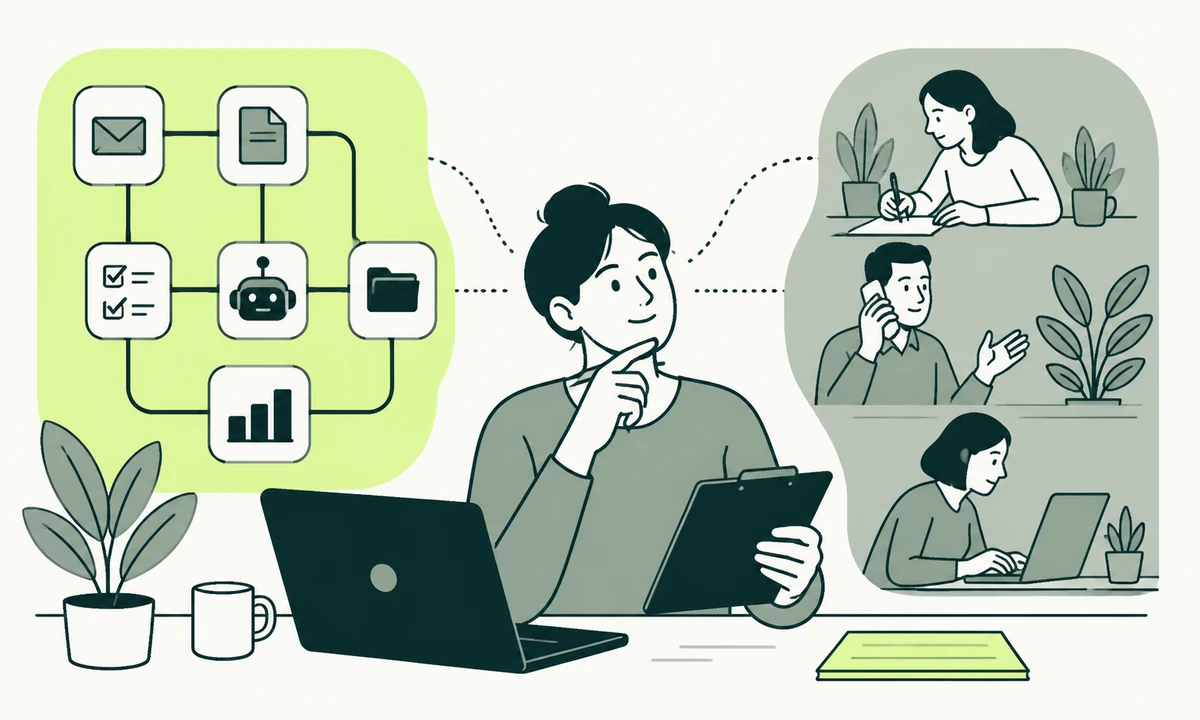
A five-person team can name a dozen things it would like to automate before lunch. The weekly report. Onboarding emails. Copying form submissions into the CRM. Chasing an overdue invoice. Renaming and filing whatever the client sent through at midnight. The list is real, every item on it is genuinely repetitive, and about half of it is a trap.
The trap is not that the work cannot be automated. Nearly all of it can. The trap is that small team automation moves the work rather than removing it: you stop doing a task and start owning a machine that does the task. Owning it is quieter. It never appears on a calendar, never gets estimated, and stays invisible until the morning it fails in front of somebody who matters.
So the useful question is not what a tool is capable of. It is which of those dozen jobs a five-person team can afford to be responsible for indefinitely. We triage on three things, in this order: how often the work happens, whether a mistake can be undone, and who finds out when it stops. The platform, the model and the integration plumbing are all downstream of those answers, and choosing them first is how teams end up with six half-trusted workflows and no idea which ones still run.
The triage: three questions, in order
Score every candidate on three axes before you open a single tool. They are not weighted equally. Frequency decides whether the work is worth touching at all, reversibility decides how much supervision it needs, and the third one decides whether you are allowed to build it.
Frequency, and whether the shape holds
Frequency is the obvious axis, and the one people still get wrong, because they count occurrences and ignore variation. A task done twice a year is not worth a machine, however tedious those two afternoons are. A task done every day is a candidate. But the thing that actually settles it is whether the shape of the work holds from one run to the next.
Filing an invoice has a stable shape: same fields, same destination, same rules. Answering a client who has gone quiet does not. If the steps change with the client, the season, the size of the account or who is asking, then what looks like a routine is a decision wearing a routine’s clothes. Automating it produces a system that is right most of the time and confidently wrong the rest, which is worse than doing it by hand, because now nobody is watching.
Reversibility, measured by what an undo costs
Ask what happens when the automation does the wrong thing at three in the morning. Some failures are a rerun: a report is regenerated, a record is re-imported, a file is moved back where it belongs. Some failures are an email sitting in a customer’s inbox, a payment taken, an account closed, a post published. The first kind can be automated aggressively. The second kind wants a person between the machine and the world, even if that person only reads a draft and presses send.
The distinction is not really about risk, which everybody overestimates in the abstract and underestimates in practice. It is about recovery. A risky thing you can undo in one command is a fine candidate. A low-risk thing you cannot undo at all deserves more caution than its risk score suggests, because on the day it goes wrong the only available response is an apology.
Who notices when it breaks
This is the axis teams skip, and it predicts the damage better than the other two combined. Some automations fail loudly: the deploy goes red, the report does not arrive, three people ask about it within the hour. Those are the safe ones, because the failure carries its own alarm. The dangerous ones fail silently. A sync that stopped writing to the CRM still shows a thank-you page to the person filling in the form. A scheduled digest that has been sending an empty section since somebody renamed a field still sends.
A rule worth adopting whole: if the failure mode is silence, the automation is not finished until it can raise an alarm on nothing having happened. Not on errors. On absence. A job that should run every weekday and did not run on Tuesday must be as noisy as a job that crashed, because from the outside those two look identical and only one of them tells you.
Scoring a candidate in ten minutes
Put the list on a table with those three columns and the verdict mostly writes itself. Here is the exercise run over the jobs that come up in nearly every small team, with the answers we would give.
| The job | How often | Reversible? | Who notices a failure | Verdict |
|---|---|---|---|---|
| Assembling the weekly report | Weekly | Yes, rerun it | The author, immediately | Automate |
| Form submission into the CRM | Daily | Yes, re-import | Nobody, for weeks | Automate, with an alarm on zero |
| Deploying to production | Several times a week | Yes, revert the commit | Everyone, at once | Automate |
| Chasing an overdue invoice | Monthly | No, the email has been sent | The client, awkwardly | Automate the draft, send by hand |
| Replying to a first enquiry | Daily | No | The person who wrote in | Assist, never send unread |
| Publishing a pricing change | Rarely | Partly, the screenshot survives | A customer, later | Keep manual |
| Revoking access when someone leaves | Rarely | Yes, but the gap is the risk | Nobody, until it matters | Automate the prompt, revoke deliberately |
Two rows there are worth arguing with. Revoking access looks like a perfect candidate: rare, mechanical, high consequence. We still keep a person on the trigger, because offboarding in a small team is rarely tidy, and a script that removes the wrong account creates an incident on the same afternoon somebody is already leaving. The first-enquiry row is the one teams most want to hand over completely. Do not. It is the single exchange where the cost of sounding like a machine is paid immediately, by the one person you were trying to impress.
No owner, no automation
Here is the position, and it prevents more damage than any tooling choice: do not build an automation you cannot assign to a named person today. Not a team. Not a job title. A person, whose name sits next to it in writing, who would be embarrassed to find it had been broken for a month.
That sounds bureaucratic for a team of five. It is the opposite. In a small team the ownership question is a capacity question in disguise: if nobody has room to own the thing, you are not adding a machine, you are adding an orphan. Ownership means four specific things, and a candidate that fails any of them goes back on the list.
- Named, not implied. Ownership shared between three people is ownership by nobody. Somebody has to be the one who is wrong when it is wrong.
- Alerted by default. Failure notices reach that person without anybody forwarding them, and they arrive somewhere the person actually reads rather than a channel nobody has opened since setup day.
- Authorised to switch it off. Without a meeting, without asking, at any hour. An automation nobody is allowed to disable is not a tool. It is a policy with a runtime.
- Able to do the job by hand. Once nobody remembers the manual path, the automation has quietly become load-bearing, and its next outage is an operational problem rather than an inconvenience.
Four sentences, kept beside the thing itself: how it is disabled, what happens to work already in flight when it is, who is allowed to do that, and what people do instead while it is off. If the last sentence is hard to write, the automation has not saved the work. It has absorbed it, and you will discover that on the worst possible day.
What small team automation costs when nothing happens
A working automation is not free while it works. It bills you quietly, in kinds of attention rather than in hours anybody can point at, and a small team feels the total long before it can name the lines.
Credentials expire, and the renewal never falls at a convenient moment. Third-party APIs retire versions on their schedule rather than yours. Field names change upstream and the mapping drifts until the data on the far side is subtly wrong in a way no error message describes. Vendor plans get restructured and a workflow that ran happily on a free tier moves behind a paid one. Someone leaves, and the only person who knew why step three exists leaves with them. None of that argues against automation and integration work. It argues for keeping the number of automations smaller than your appetite for them.
The practical version is one page. Every automation, its owner, what it touches, how it is switched off, and the date somebody last confirmed it working with their own eyes rather than by reading its logs. Review the page quarterly and delete something every time. A register that only grows is a register nobody opens by the second year.
What should stay manual, deliberately
Some manual work is not inefficiency. It is instrumentation. The weekly pass through failed payments is how you find out the provider changed something. Reading the first reply a new customer sends is how you learn the signup form is asking the wrong question. Automate those and the information stops arriving, which is a cost that never shows up as a cost, because it shows up as a surprise nine months later.
Four categories we keep with a person as a matter of course: judgement calls with few precedents, anything a customer experiences as a first impression, outward actions that cannot be recalled, and decisions somebody may later have to explain to a client, a regulator or a court. The first-impression one is the least obvious and the most expensive to get wrong, which is why we treat the first ten minutes of onboarding as designed work rather than a sequence to schedule once and forget.
The test is not whether a machine can do the task. It is whether anybody would notice on the day it stopped.
Where an AI model changes the triage
A model widens what counts as a stable shape. Work that varies too much for a rule (summarising a thread, drafting a reply, sorting an inbox by intent, turning scrappy notes into a structured record) becomes automatable in a way it simply was not before. That is a genuine expansion, and it moves several rows on the table above. It changes nothing at all about reversibility or about who notices, and those are the two axes that decide how much supervision the thing needs.
Draft, do not send
The pattern that survives contact with a small team is the model preparing work and a person releasing it. Drafted replies, suggested categories, a proposed summary with the source sitting next to it. Our parent company has written up the discipline this depends on in the reviewer’s pass, and the point that matters is blunt: a review step where nothing is ever rejected is not a review step, it is a delay.
There is a narrow exception worth naming, because we would take it ourselves. Answering a question a visitor asks on your own site, from your own published content, is reversible in the way that counts: the visitor can ask again, push back, or reach a person. A widget like Flidu works on that basis, answering from the site it is installed on and handing over to a contact action when the question outgrows it. That is assistance with an exit, which is a different animal from an unattended machine speaking on your behalf.
Nothing goes live without an evaluation set
Before a model does anything unattended, write down a few dozen examples of the input with the output you would accept, and keep them. That set is the only thing that tells you whether a prompt change improved the work or merely changed it, which is the whole argument in building an evaluation set before you trust a model. Getting from a working demonstration to something a team can rely on is its own piece of engineering, covered in turning an AI experiment into a system, and it is the step small teams skip most often.
One place we would hold the line harder than most people expect: published writing. A model is genuinely useful for the first pass at reference material and genuinely poor at knowing what it does not know, which is why we treat AI-written product documentation as drafting rather than publishing. Wrong documentation is worse than missing documentation, because people act on it.
The order we would build them in
Sequence matters more than tooling. This is the order that produces automations a team still trusts in the second year.
- Do it by hand and write down every step. Two weeks is enough. Half the candidates die here, because the written version exposes three exceptions nobody had mentioned.
- Delete steps before you automate any of them. The cheapest automation is the step that exists only because of a decision made two years ago that nobody has revisited since.
- Automate the assembly, keep the release. Let the machine gather, format and prepare. Let a person be the last click on anything that leaves the building.
- Build the alarm before you build the feature. Including the alarm for nothing happening. If that feels like over-engineering for a small job, the small job was probably not worth automating.
- Name the owner and a review date in the same commit. Not a retirement date, which nobody honours, but a date on which somebody has to confirm the thing still earns its keep.
- Remove the person only after a boring month. Boring means no surprises, not no failures. A month of watched runs is cheap evidence, and it is the only evidence anyone trusts later.
This triage is tuned for teams without an operations function. A team with real monitoring, an on-call rotation and a habit of writing runbooks can safely automate irreversible work that we would keep manual, because they have already paid for the ability to catch it going wrong. If that describes you, raise your ceiling. If it does not, do not borrow theirs.
Where we would start, and when this reverses
Start with the job that is frequent, reversible and loud when it fails, even if it is not the one that annoys you most. The annoying job is usually annoying because it involves judgement, and judgement is the last thing to hand over. Once two or three of the safe ones have run without incident for a quarter, the team has the habits that make the harder ones survivable, and that is the point at which AI-enabled operations stops being a slide and starts being how the week actually runs.
The advice reverses in one situation, common enough to state plainly. If a single person is the bottleneck for something the business cannot go a week without, and that person is on leave next month, automate it even though it scores badly. A fragile automation with a named owner beats a process that exists only inside one head. Build it, write it down, put the review date close, and accept that you have taken on a maintenance job. Everything else on the list can wait until the model or integration work has an owner with room to carry it.
If you have a list of twelve and want an outside read on which three are worth building, send us the list with the name of whoever currently does each one. The answer usually falls out of that second column rather than the first.
Common questions.
What should a small team automate first?
Start with work that happens often, can be undone easily, and fails loudly enough that somebody notices the same day. Report assembly, deployment pipelines and internal data transfers usually qualify. Deliberately avoid starting with the task that annoys you most, because irritating tasks are often irritating precisely because they need judgement, and judgement is the last thing worth handing to a machine.
How do you know a process is too risky to automate?
Judge it by what undoing a mistake costs, not by how important the process feels. If a wrong result can be corrected with a rerun or a re-import, automate it freely. If a wrong result leaves the building as a sent email, a taken payment, a closed account or a published post, keep a person between the system and the outside world, even if that person only approves a prepared draft.
What does it mean for an automation to have an owner?
It means one named individual, rather than a team or a job title, is responsible for it. That person receives failure alerts by default, is authorised to switch the automation off without asking anyone, and still knows how to do the underlying work by hand. If nobody can be named on those terms, the honest conclusion is that there is no capacity to run the automation at all.
Should a small team automate replies to customer enquiries?
Automate the preparation, not the sending. Drafted replies, suggested categories and gathered context all save real time while a person stays accountable for what reaches the customer. A first enquiry is the one exchange where sounding like a machine costs you immediately, and no message can be recalled once it has gone out under your name.
How often should existing automations be reviewed?
Quarterly suits most small teams, provided the review is a real one. Confirm that each automation still runs, that a person rather than its own log has checked the output recently, that its owner is still with the team, and that the credentials it depends on have not quietly expired. Delete at least one thing at every review, or the register becomes something nobody opens.
Is it worth automating a task that only takes five minutes?
Only if it happens often and the shape of the work is stable. Five minutes every day is worth removing; five minutes twice a year is not, because the automation still needs credentials, monitoring, documentation and an owner. Weigh the recurring cost of maintaining the automation against the recurring cost of the task, and be honest that maintenance never falls to zero.
Facing this in your
own business?
Tell us where you’re headed — we’ll map the shortest honest route.