

The Standing Cost of Every Feature You Ship
A feature you shipped two years ago still bills you every quarter, in support, security, documentation and attention. Price that standing cost, then write a retirement policy you can run without losing anyone’s trust.
On This Page
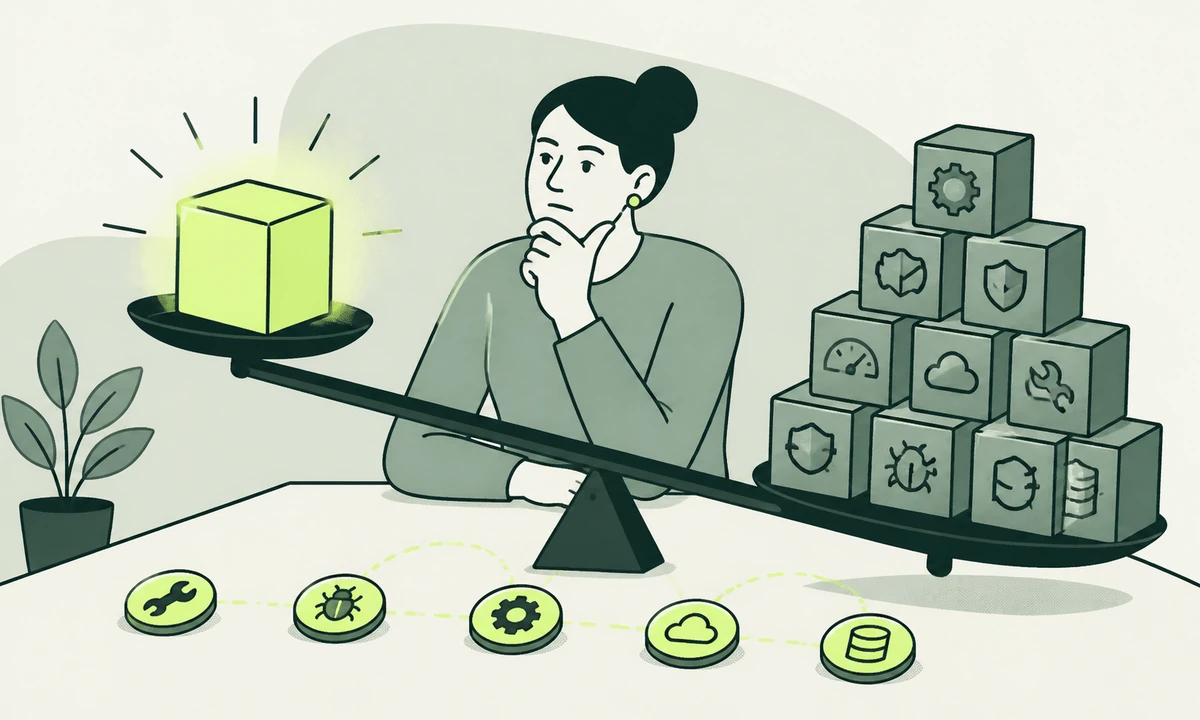
There is a feature in your product that a handful of accounts use. It shipped a couple of years ago, for a reason somebody could still explain if pressed. It has not been changed since. Nobody has asked about it in months. On the roadmap it appears nowhere at all, and in the budget it appears nowhere either, which is the problem: it is still being paid for, every quarter, by people who do not know they are paying.
Teams estimate the cost of building a feature carefully and the cost of keeping it not at all. That asymmetry is where product bloat comes from. A build cost is visible, argued over and finite. The feature maintenance cost is invisible, unargued and open-ended, and it is charged whether the feature is used, loved, ignored or forgotten.
This piece is about making that second number legible, and then about what to do with the features that fail the test. The second half is the harder one, because retiring something people rely on is a trust exercise long before it is an engineering exercise, and most teams run it in the order that damages them most.
The bill that does not stop when the work does
A build cost is a negotiation. Somebody scopes it, somebody sizes it, somebody decides whether it is worth doing this quarter. A standing cost is an inheritance. Nobody approves it, because by the time it exists the decision has already been made, and it arrives in small amounts spread across people who are not tracking where their week went.
The useful mental shift is to stop treating a shipped feature as an asset and start treating it as a subscription taken out on behalf of your future team. Our parent company makes the same argument at the level of a whole product in the standing cost of a product. Everything below is that argument applied one level down, where the decisions are more frequent and the accounting is even weaker.
Where the bill actually lands
Four surfaces, and only one of them is engineering. That is exactly why the cost stays hidden: it is paid by four different teams, in units none of them compares with the others.
Support
Every feature is a thing that can be misunderstood. It generates questions, and it generates one particularly expensive kind: the question whose answer is "that does not do what you think it does". Each of those needs somebody who knows, which means every new support hire has to be taught a feature nobody has touched in a year. A rarely-used feature is often more expensive per user than a popular one, because nobody has ever had enough cause to make it self-explanatory.
Security and dependencies
A feature is not just a screen. It is usually an endpoint that still answers, a permission that still exists, a table that still holds personal data, and a set of packages that still need updating. None of that goes quiet because usage did. A published vulnerability in a library your unused export tool depends on is your problem at exactly the severity it would be in your core flow, and the scanner does not care that nobody clicks the button.
This is the line that most often changes minds in a planning meeting, because it turns a vague tidiness argument into a concrete one. Unused code is not inert. It is attack surface with nobody watching it.
Documentation
Every feature owns some words: a help page, a tooltip, a line in the onboarding tour, a screenshot that ages badly. Those words have to change whenever anything near them changes, and the real failure mode is not missing documentation but documentation that is confidently out of date. Keeping that honest is a workflow problem more than a writing one. A workspace like Acrosite takes the approach we prefer: editors work in structured fields, and the workspace generates the files, commits them to GitHub and triggers the configured deployment, so the documentation change rides the same release as the change it describes.
Attention
The largest cost, and the only one that compounds. Every feature you keep is a thing every future change has to consider, and consideration is not free even when the answer is to leave it alone.
- Every redesign has to redesign it, including the loading, empty and error states nobody mocked up the first time.
- Every permissions or pricing change has to decide which tiers it belongs to, and then defend that decision.
- Every data migration has to carry its records, including the ones written by an import that ran once in the first year.
- Every release either tests it or accepts that it is untested, and the second option stays comfortable only until something breaks.
- Every new engineer has to be told what it is for, usually by the one person who remembers, usually inaccurately.
Pricing feature maintenance cost without guessing
You do not need a model. You need a unit, and the unit is touches per quarter: how many times somebody had to think about this feature without improving it. Every line below can be counted from records you already keep, which is what makes the exercise survivable on a Wednesday afternoon.
| Cost line | How it shows up | What to count, from records you already have |
|---|---|---|
| Support | Questions, confusion, "does it do X?" | Tag the last two quarters of tickets by feature |
| Security | Endpoints, permissions, stored fields, packages | List the routes and dependencies only this feature needs |
| Documentation | Help pages, screenshots, onboarding copy | List the pages that must be rewritten when it changes |
| Engineering attention | Regression tests, migrations, review time | Count merged changes that touched it without adding to it |
| Design attention | Redesigns, responsive work, unmocked states | Count the screens it owns that nobody has revisited in a year |
| Performance | Payload, queries, third-party calls | Measure the affected page with the feature disabled |
Run that for every feature in the product and the ranking will surprise you twice. Something you assumed was expensive turns out to be quietly self-sufficient. Something nobody ever discusses turns out to be responsible for a steady drip of support questions, two dependencies you would otherwise have dropped, and a page that loads slower for everybody, including the majority who never use it.
Do the counting yourself rather than borrowing somebody else’s benchmark. Your records are the only ones that describe your product, and they are the only ones a sceptical colleague cannot argue with. It is the same reason we distrust headline numbers in churn reporting: the aggregate hides the mechanism, and the mechanism is the decision.
The signals that a feature should go
Low usage on its own proves nothing. Plenty of low-usage features are cheap, stable and quietly load-bearing for the reason somebody bought in the first place. The candidates for removal sit where low usage meets high touch, and four patterns are worth watching for.
The first is the feature that exists because of one deal, usually one that was eventually lost. The second is the one that keeps deferring other work: every time somebody proposes a change, the discussion stalls on what it would mean for this. The third is the feature nobody can state the job of in a single sentence, which usually means it arrived as a request rather than as a decision. The fourth is the one where the honest answer to "would we build this today?" is no, and everybody in the room knows it. Ask that question on the record, because it separates a real bet from a habit. It is also the question underneath whether the thing should have been a product, a service or a feature to begin with.
A feature used by very few people can still be the reason a large account stays, the answer to a procurement checklist, or the thing that makes a buyer comfortable that they are not locked in. Before you read a usage chart as permission, find out who those users are and what happens to them if it disappears. Counting is the easy half.
Keep, fix or remove: the third option teams forget
Once a team starts counting, removal becomes attractive far too quickly. It feels decisive, it produces a satisfying pull request, and it is often the wrong call. A high support cost is frequently evidence that the feature is fine and the explanation is bad, which is a much cheaper problem than the one you are about to solve by deleting working code.
Read the tickets instead of counting them, and three diagnoses separate out. Questions that begin "how do I" describe a discoverability problem: the feature works, nobody can find it, and the fix is a label, a placement or a sentence of help text. Questions that begin "why did it do that" describe a design problem: people find it, use it, and are surprised by the result, which is a genuine defect worth engineering time. And the feature that generates no questions at all while still consuming dependencies, tests and migration effort has neither problem. That third one is the only clean removal case, and it is rarer than the counting exercise makes it look.
There is a fourth outcome worth naming, because it resolves more arguments than the other three combined: the feature is doing a job people need, in the wrong place. Moving it into the flow where the need arises usually costs less than removing it and always costs less than defending the removal afterwards. Ask which of the four you are looking at before anybody drafts an announcement, because each has a different owner and only one of them belongs to engineering.
Retiring a feature without burning trust
Most removals go badly for the same reason: the announcement arrives before the alternative does, and the people who depended on the feature learn about the decision at the same moment as everyone else. Run it in this order instead.
- Write the reason down internally first. One paragraph, honest, including the part about cost. It becomes the answer everybody gives later, and inconsistent answers are what turn a removal into a story.
- Stop new usage before you stop old usage. Hide it from new accounts, take it out of the navigation and off the pricing page. The population you have to look after stops growing on the day you decide.
- Tell the people who use it, first and separately. Where the number is small, write to them individually. A changelog entry is how you inform strangers, not how you treat somebody who built a process around your product.
- Ship the exit before you announce the date. An export, a documented alternative, or a migration you run for them. Announcing a removal with no way out is how a product decision becomes a renewal conversation.
- Hold the date, and move it at most once. A date moved twice teaches everyone that your deadlines are negotiable, which makes the next deprecation twice as slow and half as believed.
- Leave something at the URL. A page saying what happened, when, and what to use instead. Silence at an old address reads as decline, and search engines keep sending people there for years.
One boundary is worth stating flatly. If the feature appeared in the sales conversation, the contract, or the pricing page somebody bought from, removing it is a commercial decision rather than a product one, and whoever owns that relationship belongs in the room before anything is announced. Teams that run client work alongside product work meet this earlier than most, because the same person often made both kinds of promise.
What we would keep, even at a bad price
The honest counterweight to all of this: some standing costs are worth paying and the accounting will never show it. A data export nobody uses is often the reason somebody was willing to sign, because it is proof they could leave. Remove it and you have not saved a maintenance line, you have removed an argument your sales team was relying on.
The same holds for anything carrying a regulatory obligation, anything used by a small number of accounts you cannot afford to lose, and anything whose absence would be read as a company in retreat. Ruthless pruning has its own failure mode: a product that gets thinner every year, and marketing that quietly stops describing what the thing does, which is where a landing page that sells the job rather than the tool starts making a claim nobody inside the building can support. Price the cost, then decide. Do not let the spreadsheet decide for you.
The question to add to planning
The cheapest version of all this happens before the feature exists. Add one question to whatever planning ritual you already run: what will this cost us in a quarter where we do nothing with it? Not the build estimate. The quiet quarter. Who answers its support questions, who updates its dependencies, whose page it slows down, and who has to think about it every time something adjacent changes.
Ask it and some proposals stop looking worth it, which is the point. The rest get built with somebody named against the upkeep, and that is what turns ongoing product improvement into a practice rather than an occasional clear-out. It also changes what a roadmap is: a list of things to build, next to an honest list of what the last two years of building is still charging you.
Then do the boring half properly. Keep a register of what exists, review it on the same cadence as the roadmap rather than in a panic, and treat maintenance as scheduled work rather than as the thing that happens after something breaks. If you want an outside read on which parts of your product are earning their keep, tell us what you have shipped and which parts nobody wants to touch.
Common questions.
What is the standing cost of a software feature?
It is the recurring cost of keeping a feature alive after it ships, as opposed to the one-off cost of building it. It covers support questions, security patching for the dependencies and endpoints it needs, documentation that has to stay accurate, and the attention every future change spends on it. Unlike build cost it is rarely estimated, never approved, and it continues whether or not anybody uses the feature.
How do you measure what a feature costs to maintain?
Count touches per quarter using records you already keep. Tag recent support tickets by feature, list the routes and packages only that feature requires, list the help pages that must be rewritten when it changes, and count merged code changes that touched it without improving it. The resulting ranking beats any estimate, mainly because colleagues cannot argue with data drawn from their own systems.
Should you remove a feature that almost nobody uses?
Not on usage alone. Low usage matters only where it meets high cost, so look for features that generate support questions, block other changes, or drag along dependencies you would otherwise drop. Then find out who the remaining users are. A feature used by very few people can still be why a large account stays, or the answer to a procurement question your sales team depends on.
How do you deprecate a feature without upsetting customers?
Stop new usage before you stop existing usage, then contact current users directly rather than by changelog. Ship the replacement or the export path before announcing a removal date, so the message arrives with a solution attached. Hold the date once announced, moving it at most once, and leave a page at the old address explaining what happened and what to use instead.
What should go in a feature register?
One row per feature holding the job it does in a sentence, who owns it, which endpoints and dependencies belong to it, which documentation pages describe it, and the date somebody last confirmed it still earns its place. Review the register on the same cadence as the roadmap. A register consulted only during a crisis is a document rather than a practice, and it goes stale fast.
Does removing features make a product look weaker?
It can, when removals are frequent, unexplained, or announced without a replacement. Avoid that impression by stating the reason, providing the alternative, and keeping the message consistent across support, sales and the changelog. A product that gets thinner every year with no stated direction reads as retreat; a product that trades breadth for depth on purpose usually reads as focus.
Facing this in your
own business?
Tell us where you’re headed — we’ll map the shortest honest route.