

Version Control for Marketing Content: What Git Gives an Editor
Branch, diff, review, revert. Four ideas from software that solve four ordinary editorial problems, plus the two places the comparison stops being useful.
On This Page
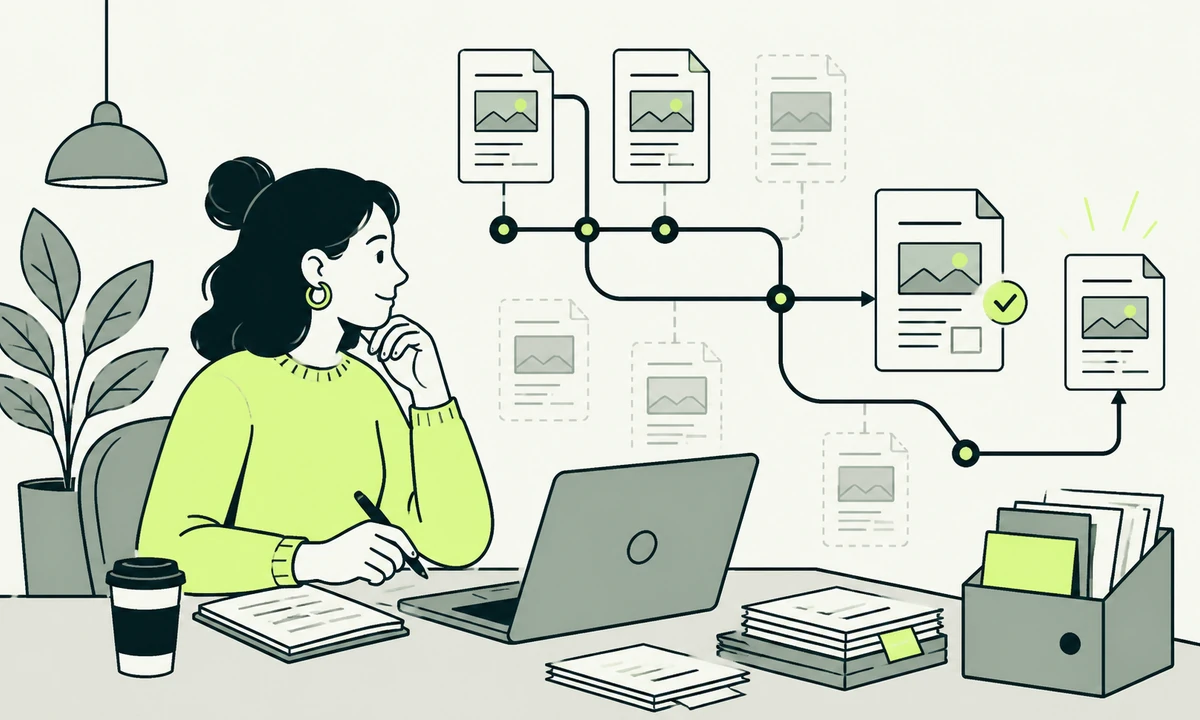
Somebody changed a sentence on the pricing page. It is now wrong in a way that the legal team cares about. Three people can tell you roughly what it used to say. Nobody can tell you who changed it, on which day, or what the previous wording was word for word.
That question, asked at the worst possible moment, is what content version control answers. Not in the abstract: it answers it in seconds, with a name, a date and the exact previous text. Most content teams do not have that, and most of them assume the reason is budget. The reason is usually vocabulary.
Git is the system developers use to keep track of changes to code. Every idea in it maps onto something editors already do, and the mapping is close enough to be useful. What stops teams adopting it is not the concept. It is that the concepts arrive wearing engineering clothes: commit, branch, diff, merge, HEAD, rebase.
So this piece translates the words that matter, in editorial terms. Then it names the places where the translation stops being honest, because a comparison that only flatters one side is no use to anybody making a decision.
The question an editor is actually asking
Editors rarely ask for version control by name. They ask four questions, always at speed, usually on a bad day. Who changed this? What did it say before? Can I put it back? Who said this was allowed to go live?
A backup answers none of those. A backup gives you the whole site as it was on Tuesday, which is a blunt instrument when you want one paragraph as it was on Tuesday and everything else as it is now. A backup is a copy; a history is a sequence of decisions. Both are worth having, and only one of them tells you why something changed.
Most content systems offer revisions, which sit between the two. They store previous states of a page, sometimes for a limited window, usually without a reason attached, and almost never in a form you can compare across several pages at once. Useful. Not the same thing.
Content version control in editorial terms
Five words carry almost all of the value. Here they are, with the engineering stripped out.
A commit is a saved decision
A commit is a save with a note attached. It records what changed, who changed it, when, and, if the person wrote one, why. That last part is the difference between a version history and a pile of autosaves. "Reworded the guarantee paragraph after legal review" is a sentence that will still be worth reading in two years.
The habit worth teaching is small commits. One change, one note. A commit that says "updated the site" is a commit nobody can use, and the temptation to write it grows with the size of the change, which is exactly backwards.
A branch is a draft that cannot leak
A branch is a parallel copy of the whole site where you can rewrite anything without touching what visitors see. Five pages of a campaign can be written, reviewed and previewed together, then published in one move. Or abandoned in one move, leaving nothing behind.
This is the feature editors underrate most. A traditional draft belongs to one page. A branch holds a coherent set of changes across many pages, which is what a rebrand, a pricing change or a policy update actually is. Anyone who has tried to publish nine related pages simultaneously in a system that only understands per-page drafts knows the alternative: a shared document, a checklist and somebody clicking very fast.
A diff is a redline nobody had to make
A diff shows exactly what changed between two versions, line by line, with additions and removals marked. It is the tracked-changes view of a word processor, generated automatically for every version that has ever existed, without anyone remembering to turn it on.
For prose this is genuinely good. For a table of specifications it is better still, because a diff catches the digit nobody would have noticed in a proofread. Reviewing a diff instead of a page is a different activity, and it is faster: you read what moved rather than re-reading what did not.
A pull request is an approval gate
A pull request proposes that a branch join the live site. It carries the diff, a description, a comment thread and a decision, and it can genuinely refuse to publish something rather than merely suggesting it should not be published. That is the property most editorial workflows lack, and it is the one that makes the difference. Our parent company has written about the discipline of that role in the reviewer’s pass, which is worth reading before deciding who holds the gate.
A revert is the undo you actually wanted
A revert removes one specific change and leaves everything else alone. Not a restore, which returns the whole site to an earlier moment and quietly discards the fifteen unrelated things that happened since. If the wrong paragraph went live at four o’clock, a revert takes that paragraph back and nothing else.
| Git word | What it is to an editor | What you get | Where it stops helping |
|---|---|---|---|
| Commit | A save with a note explaining why | Author, timestamp and reason on every change | Only as good as the note somebody wrote |
| Branch | A draft that spans many pages at once | Publish or abandon a whole campaign in one move | Long-lived branches drift from the live site |
| Diff | Tracked changes, generated automatically | Line-level review, including the digits | Unreadable for images, video and PDFs |
| Pull request | An approval gate with a comment thread | A decision that can actually refuse to publish | Becomes theatre if approval is automatic |
| Revert | Undo for one change, not the whole day | Precise rollback without collateral loss | Cannot undo something that was never committed |
| Merge conflict | Two people edited the same paragraph | The system refuses to guess who is right | The moment editors need a workspace layer |
What this gives an editor that a CMS usually does not
Take the vocabulary away and four practical gains remain. These are the ones we would argue for in front of a content team that has no interest whatsoever in how the site is built.
- Provenance on every sentence. Who wrote this, who last touched it, and what the reason was. That record matters for regulated claims, and it matters for the authorship questions covered in E-E-A-T without the mysticism.
- A staging area that is honest. A branch can be previewed as a real site with real content. Nobody is approving wording in a comment on a spreadsheet.
- Rollback without drama. The bad publish is reversed in one step, by the person who noticed, without a support ticket or a restore window.
- An exit that costs nothing. The content is files you already hold, in a format you can read, with the full history attached. There is no export to request.
There is a fifth gain that is harder to sell and worth more than the others: content stops being a thing that only exists inside somebody else’s application. It becomes an asset the organisation holds. That is the same argument running underneath the twelve questions that separate a CMS shortlist, and it is usually the question asked last.
Version control gives you the mechanism. The value comes from the sentence somebody types when they save. Agree a house convention early: what changed, and why, in one line, in plain language. A history full of update and fix is a history you will not read.
Where the metaphor breaks
Three places, and none of them is trivial. Anyone who tells you version control is straightforwardly better for editorial work has not run it with a team of six under deadline.
Two people, one paragraph
This model handles two editors on two different pages perfectly and two editors on the same paragraph badly. A shared document lets both type at once and shows the cursor moving. Version control instead asks, afterwards, which of the two versions is correct, and refuses to guess. If your workflow genuinely involves simultaneous editing of one document, this will fight you, and no interface fixes it completely.
Images, video and everything binary
A diff of a paragraph is readable. A diff of a photograph is not. Media files can be versioned, but the history becomes storage rather than information, and large assets bloat a repository in ways that are annoying to unpick later. Most teams end up keeping media somewhere designed for media and versioning only the text and the references to it. That is a sensible split rather than a compromise.
Publishing on a schedule
A file with a future date on it does not become live by sitting there. Scheduled publishing needs an explicit mechanism: a timed job that builds and deploys, or a build that filters by date and runs on an interval. It is not difficult, and it is not free either, and it should be tested before anyone promises marketing a nine o’clock launch. This tends to sit with whoever handles website maintenance rather than with the editor.
Version control does not make editing easier. It makes the consequences of editing recoverable, which is a different and more valuable promise.
The layer that hides the mechanics
Here is the position we hold firmly: no editor should ever see a merge conflict, and no marketing manager should learn a command-line tool to fix a typo. The storage model and the editing experience are separate decisions, and treating them as one is why teams reject the whole idea after a bad week.
A content workspace sits on top. Editors see structured fields, a preview and a publish button. Underneath, a workspace like Acrosite generates the required files, commits them to GitHub and triggers the configured deployment. The history, the review and the rollback are all still there. The vocabulary is not.
That layer is also what stops the pattern where every small edit becomes an engineering ticket, which is the situation described in why your content team keeps asking a developer for small changes. Version control alone does not solve that. Version control plus an editing interface does, and the day after launch is when you find out which one you bought, as what a content workspace should do after launch sets out in more detail.
What belongs in version control, and what does not
Not everything should go in. The test we use is simple: does a change to this thing deserve a review, and would you ever want to know who changed it?
Page copy, navigation labels, legal wording, metadata, redirects and structured field values all pass that test comfortably. So do translations, which is why running several languages from one versioned source is far less painful than running two sites, an argument made properly in multi-language content without a second website.
What fails the test: large media libraries, anything generated on every build, anything containing a credential, and content that changes many times an hour, such as stock levels or live pricing. Those belong in systems built for them. Putting them in a repository produces a history nobody reads and a build nobody enjoys.
Keep both. Version control tells you what changed and lets you undo one decision. A backup restores a whole environment after something catastrophic, including the parts that were never in the repository, such as the media library and the database behind a form. Teams that treat one as the other discover the gap at the worst possible time.
Running it without a developer in the room
The workflow below is what we would set up for a marketing team of three to eight people. It assumes a workspace layer, so nobody types a command anywhere.
- Agree what a change needs before it goes live. Typos and pricing wording sit in different categories. Write the two lists down once, so the review step is not renegotiated every time.
- Name one reviewer per area, not a committee. A committee produces comments. One named person produces a decision, and can be asked why later.
- Work in a branch for anything spanning more than one page. Campaigns, policy updates and rebrands publish together or not at all, which is the point of the branch.
- Write the note as though a stranger will read it. In eighteen months a stranger will, and it may well be you. One line, plain language, what and why.
- Practise a revert before you need one. Run it once on a staging branch so the first time is not during an incident with a lawyer on the phone.
The one habit that decides whether this works is the fourth. A team that writes real notes builds an archive of reasoning about its own words. A team that does not has an expensive undo button and very little else.
Where we would start
Do not migrate anything first. Take the ten pages where a wrong sentence would cost you something real: pricing, terms, claims about what the product does, anything a regulator or a customer could quote back at you. Ask who changed each of them last, and when. If nobody can answer for even one of those pages, you have found the reason to do this, and it has nothing to do with engineering preference.
Then decide the editing layer before the storage layer, because that is the decision editors live inside every day. The storage question follows from it and is easier to answer once somebody has drawn the content model. That modelling work usually happens alongside website design and development, and it should involve whoever runs content and organic growth, since they are the people the workflow either helps or obstructs.
The honest counter-case: if your team is two people who publish twice a month and nothing they write carries legal or financial weight, this machinery is overhead. Revisions in an ordinary editor will do, and the hours are better spent on the writing. The moment a third person joins, or a regulator sends a question, the calculation changes and it changes suddenly. If you are near that line and unsure which side of it you are on, describe your publishing week and we will tell you plainly.
Common questions.
What is content version control?
Content version control keeps a complete, ordered history of every change to your published words, with an author, a timestamp and a reason attached to each one. It comes from software development, where the same systems track changes to code. For a content team it means any sentence can be traced to the person who wrote it, compared with its previous wording, and restored on its own.
Do editors need to learn Git to use version control?
No. A content workspace sits in front of the repository and presents structured fields, a preview and a publish button, then generates and commits the files behind the scenes. Editors get the history, the review and the rollback without touching a command line. Asking a marketing team to learn branching commands to fix a typo is the mistake that makes teams reject the whole approach.
How is version control different from a backup?
A backup restores an entire environment as it was at one moment, discarding everything that happened afterwards. Version control records individual changes, so you can undo one paragraph from Tuesday while keeping everything else current. They solve different problems and you want both: history for editorial precision, backups for recovering media, databases and anything that never lived in the repository.
Can two editors work on the same page at the same time?
Not comfortably. Version control handles two people editing different pages very well, but two people editing the same paragraph produces a conflict the system refuses to resolve on its own. If your team genuinely writes together in real time, a collaborative editor suits that better. Many teams split the difference by drafting collaboratively elsewhere and committing the agreed text once.
Should images and video be kept in version control?
Usually not. Media files can be versioned, but a comparison between two images tells you nothing readable, and large assets make a repository slow and awkward to work with over time. The common arrangement is to keep media in a system designed for it and to version only the text, the structured fields and the references pointing at each asset.
Does version control support scheduled publishing?
Not by itself. A file carrying a future date does not go live on its own, so scheduling needs an explicit mechanism such as a timed build and deployment, or a build that filters by date and runs on an interval. This is straightforward to set up, but it is a decision you make rather than a feature you inherit, and it should be tested before launch day.
Facing this in your
own business?
Tell us where you’re headed — we’ll map the shortest honest route.